Git works well for most development workflows. But a change that seems harmless can make a repository harder to work with. Here are a few examples of how that can happen.
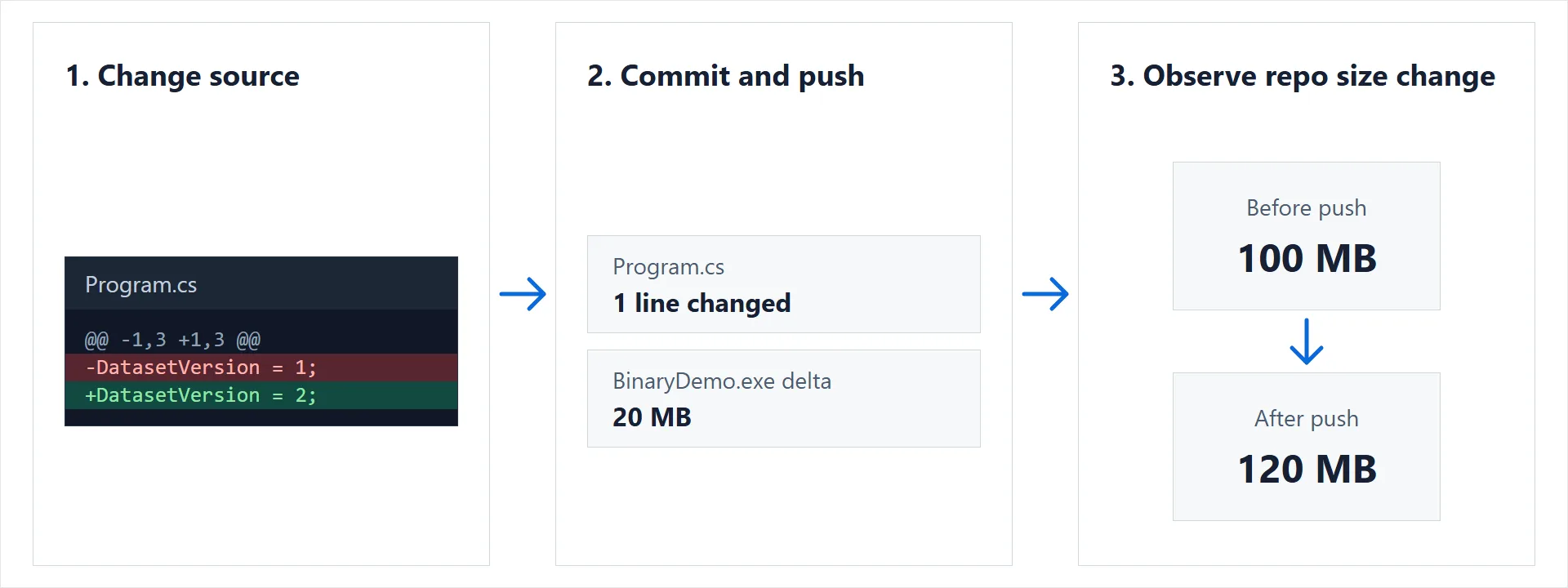
Committing binaries directly to your repository
Binaries are more likely than source code files to differ a lot between versions, so delta compression is less effective. This makes the repository grow faster.
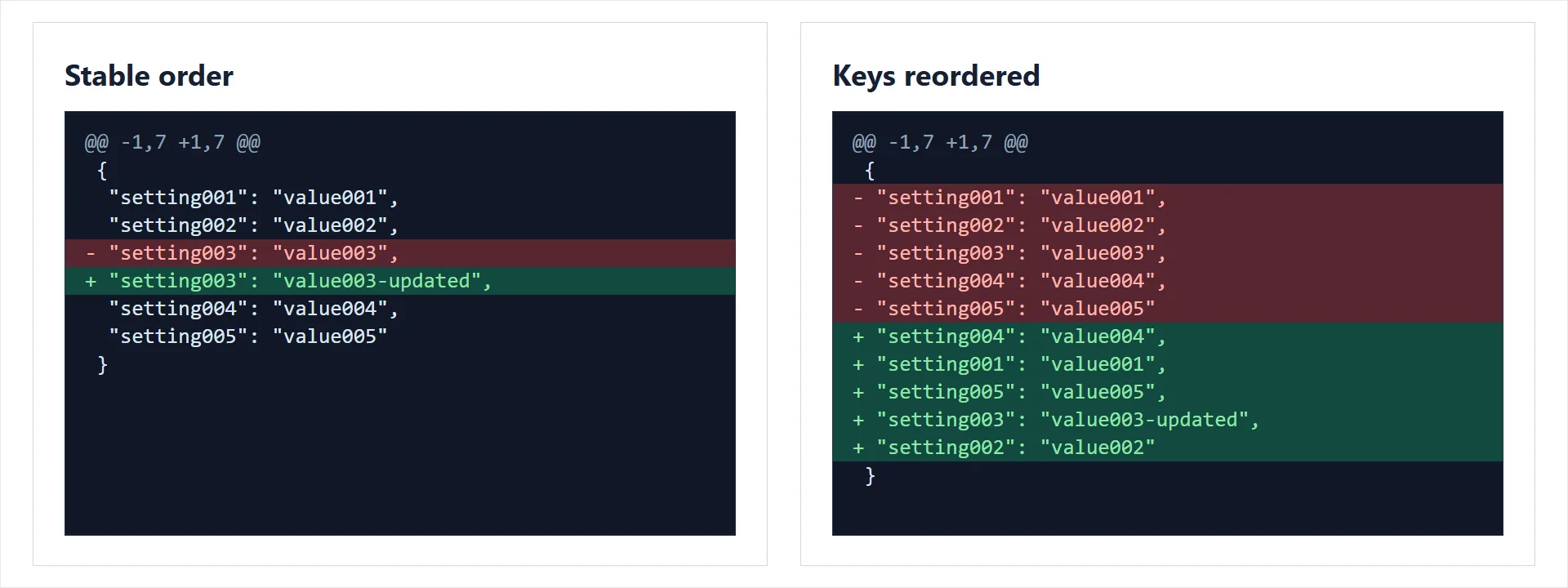
Reordering generated content
If you use generated text that adds or removes a small amount of data with each change, but the data isn’t ordered consistently, Git then ends up storing extra data for what would otherwise be a small update.
Downloading more data than you need
By default, git clone <repo-url> downloads data for all branches on the remote. A large file pushed to one developer’s branch can therefore slow down cloning for others, even if that branch is never merged into main.

To help you understand and address issues like these, we’ve published new guidance for Azure Repos: Optimize repository performance.
The guide walks you through checking repository health, finding what’s contributing to growth, and reducing the data transferred during clones and fetches.
Let us know in the comments what repository performance challenges you’ve run into and how you solved them.
The post New guidance to optimize Git performance in Azure Repos appeared first on Azure DevOps Blog.