It’s now easier to track development progress without leaving your Kanban board. Azure Boards now displays pull request annotations directly on work item cards, making it easy to see at a glance when work is actively moving through code review.
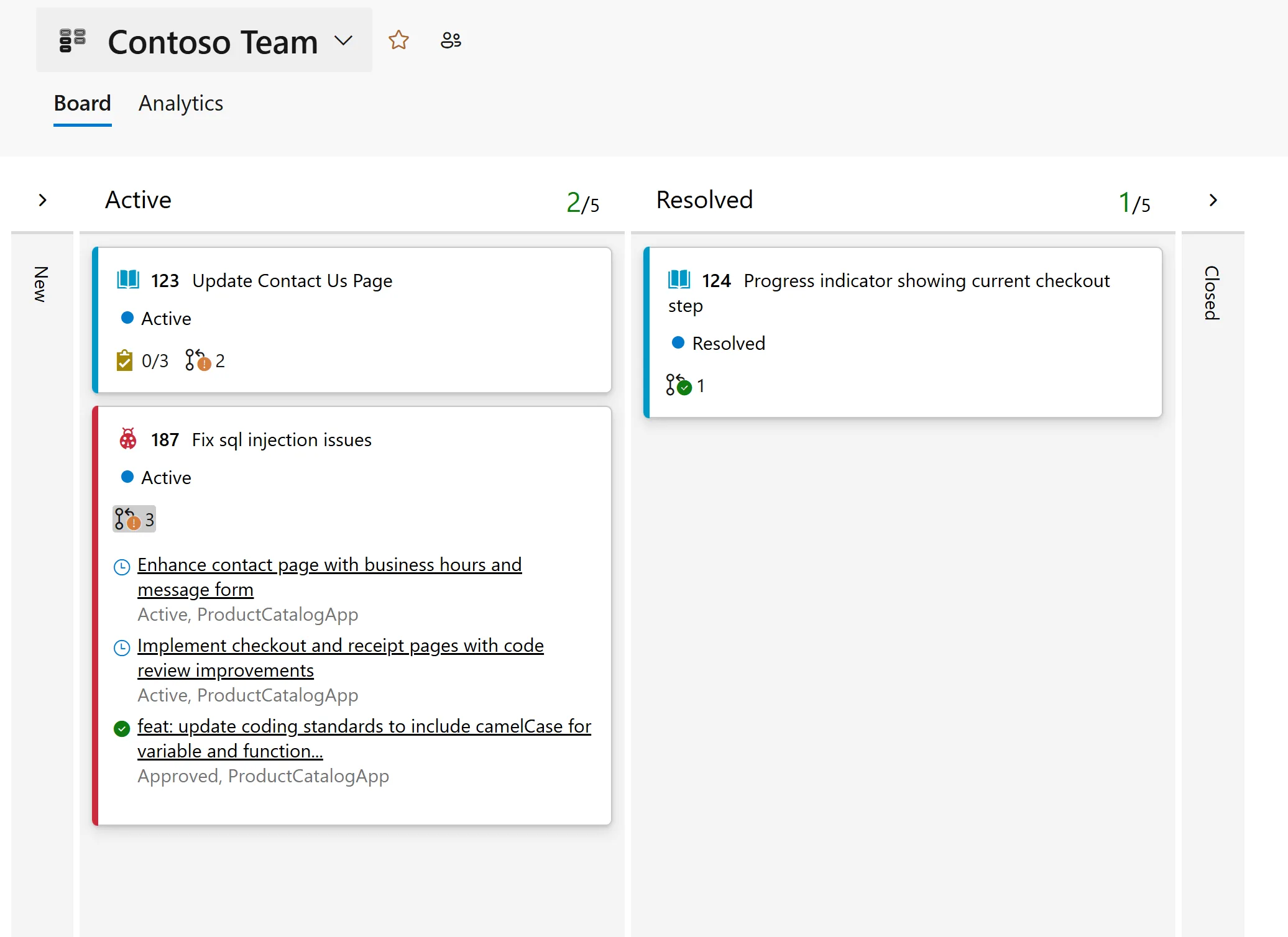
With pull request status visible directly on the board, your team can quickly understand the state of development without opening a work item or switching to Azure Repos. Whether you’re in a stand-up, planning your next sprint, or simply reviewing the board, you can immediately identify which work items have active pull requests.
If you prefer a cleaner board, you can easily turn off pull request annotations in your board settings.
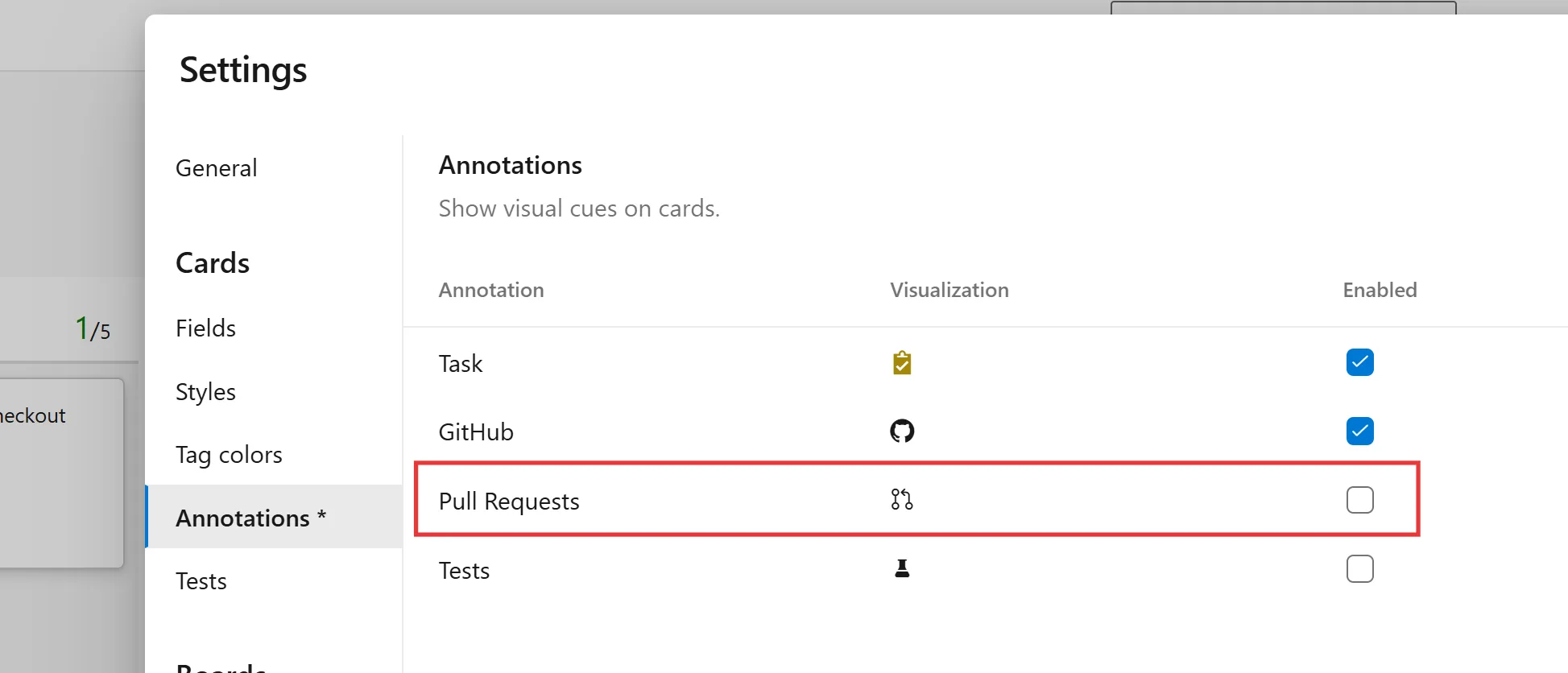
This small enhancement helps you see the status of your work without leaving your board. With pull request annotations on cards, you can spend less time switching between Boards and Repos and more time focused on your work.
The post Pull request annotations on work item cards appeared first on Azure DevOps Blog.