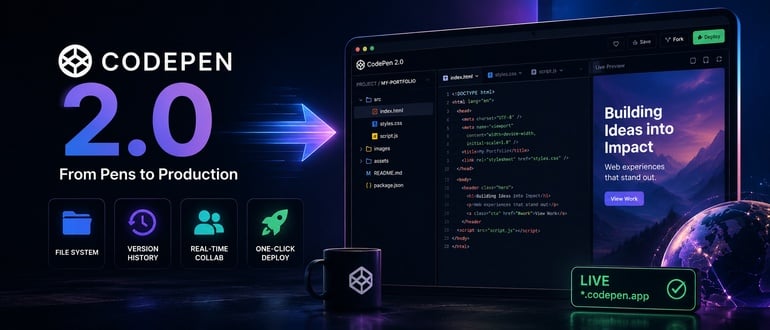

CodePen has spent 14 years as the place where front-end developers show off CSS tricks and JavaScript experiments. That reputation is about to change. The company just shipped CodePen 2.0, a full rebuild that turns individual “Pens” into deployable, file-based, version-controlled projects. For a platform best known for demos, that’s a meaningful shift toward production use.
One Editor to Replace Three
Until now, CodePen ran three separate editors: the Classic Pen editor, a Projects editor, and a Vue-specific editor. CodePen 2.0 merges all three into a single tool, and co-founder Chris Coyier says it was built to do everything the old editors could do, plus a long list of new capabilities. The company also says it kept backward compatibility with existing Classic Pens as a priority during the rebuild.
The most notable addition is one-click deployment. Every Pen built in 2.0 can now be pushed to a live *.codepen.app subdomain, updated on save, or pointed at a custom domain. That moves CodePen from a code-sharing tool into something closer to a lightweight hosting platform. It’s a small website builder wrapped around a code editor developers already trust.
File Systems, Versioning, and Real Collaboration
The rest of the release reads like a checklist pulled straight from a standard IDE. Every Pen now has a true file system, so a project can grow from a single HTML file into a multi-page site without switching tools. Pens also get version history, so a bad edit doesn’t mean starting over. And any Pen can now be shared with an editor or viewer by username or email, with real-time co-editing when both people are online at once.
None of these features are new to software development. What’s notable is that CodePen is bringing them to a tool that millions of developers already use for quick prototyping. The company also rebuilt its compiler, called Blocks, which lets developers stack multiple processors (Sass, TypeScript, Tailwind, Vue via Vite, and more) without manually configuring how they connect.
Why This Matters Beyond Front-End Demos
CodePen’s move fits a trend that’s been building across the industry for a couple of years. Research firm Gartner has projected that by 2026, 60% of cloud workloads will be built and deployed using browser-based IDEs, as teams move away from local setups that require constant configuration and maintenance. Tools like GitHub Codespaces, Gitpod, and StackBlitz have already made the case that a browser tab can replace a local dev environment for a growing share of daily work.
“One-click deploy changes what a Pen is,” said Mitch Ashley, VP and practice lead for software lifecycle engineering and AI-native software engineering at The Futurum Group. “A throwaway demo now runs on a live domain, with a real file system and version history behind it. Front-end developers get from idea to working URL without touching a build pipeline.”
That convenience comes with a catch, Ashley said. “It also creates production surface area nobody planned to own. Deployment without ownership is how shadow infrastructure starts. Platform teams need to decide now which of these sites get monitored, secured, and retired.”
CodePen 2.0 isn’t positioning itself as an enterprise cloud IDE competitor. But the underlying bet is the same one those platforms are making: reduce setup friction, keep environments consistent across a team, and let deployment happen without leaving the editor. For DevOps teams already standardizing on cloud-based development environments, CodePen’s shift adds another data point showing where the tooling market is headed, and another reminder that easy deployment needs a governance plan behind it.
What’s Missing, For Now
Coyier addressed one obvious gap directly: there’s no built-in AI in CodePen 2.0. The company says it sees plenty of AI-generated code already showing up on the platform, usually pasted in from elsewhere, but it hasn’t added native AI features yet. Given how central AI coding assistants have become to tools like Codespaces and Cursor, that’s a notable omission, and one CodePen says it’s approaching carefully rather than rushing.
The Classic Editor also isn’t going away immediately. It’s still accessible, just no longer the default path, and CodePen says a full migration of old Pens to 2.0 could happen someday, but not soon.
For developers who’ve used CodePen for quick CSS experiments and portfolio pieces, 2.0 offers a reason to treat it as a more serious part of the workflow. Whether it can compete with dedicated cloud IDEs for real production work remains to be seen, but the direction is clear: CodePen wants to be more than a place to show off code.