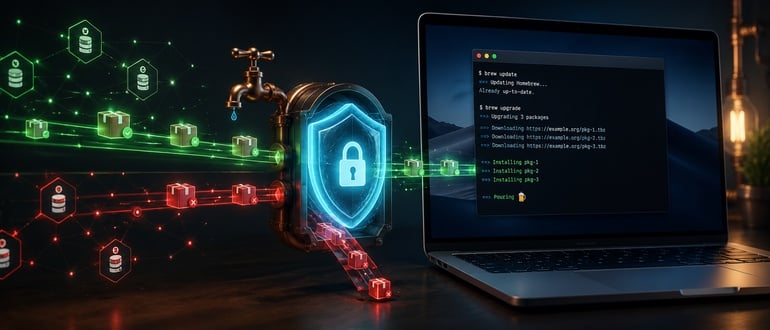

Homebrew, the unofficial but default package manager for many Apple Mac users, now has safeguards to prevent supply-chain attacks.
The approach mimics how GitHub just fortified npm against attacks by establishing a set of trusted repositories to download from.
“The Homebrew team is aware of the supply-side security issues with other package managers. We’ve taken various steps to mitigate these risks for our users,” wrote current Homebrew Project Leader Mike McQuaid in the 6.0.0 introductory post.
Check the Guestlist
When Max Howell created Homebrew in 2009, he consistently named features with terms from beer brewing and consumption. Thus, when a user needs new software on their machine, they open a “tap” to a third-party repository.
Now, the software’s maintainers have added a safety mechanism to tap, preventing execution of installation code whose source hasn’t already been vetted by the user or by Homebrew itself. It debuted with the release of Homebrew 6.0.0 last week.
The Homebrew core engine now performs a gate check for each download request. Homebrew will block any tap that is not on a pre-approved list. The list is based on remote fully-qualified URLs. Other taps on the Internet will be considered untrusted until the user deems otherwise.
Users can still download third-party software, but only after issuing a separate command: ‘brew trust user/repo’.
Users can also add third-party taps, including their own. To install an untrusted app, the user specifies in the command the full qualified domain path to the installation formula.
Homebrew halts dependency downloading from untrusted sources, instead of silently downloading it in the background as previous versions did.
A Boolean `trusted` field is also baked into Homebrew’s state management, which gives auditors information on which downloaded taps are trusted.
Package maintainers may need to change their installation instructions and README files to detail how to put their repositories on their personal trust lists. Those with Homebrew baked into their CI/CD pipelines will need to write ‘brew trust’ commands into their setup scripts at the appropriate points.
New Recipe for Brewers
Every application in the Homebrew ecosystem must include a Ruby script that tells Homebrew how to download, compile and/or install the software. This is where the trouble starts.
Homebrew hasn’t yet been hit with any major attempts to poison its core repositories (that we know of), though other repositories, such as npm and PyPI, have been hit hard. Attackers altered setup scripts to sneak in poisoned packages (see: Shai-Hulud was one recent npm attack that used this approach).
In fact, the npm maintainers at GitHub re-engineered how npm downloads software using an approach similar to Homebrew’s, namely by blocking any installation scripts that don’t already have user approval. This update should come with the release of npm v12 due next month.
Brewski Changes for Linux Users Too
In addition to serving the Mac community, Homebrew is also used quite a bit in the Linux community as well. McQuaid and his colleagues did some security work for this group as well. They incorporated Bubblewrap into Homebrew, so that the software sandboxes application builds, tests and post-install phases (replicating a functionality Macs already offer).
With 6.0.0, this feature is automatically enabled for developers. When they test new software installations, Bubblewrap confines any actions taken by the start-up scripts to a new mount namespace.
Homebrew 6.0 is the first major release since version 5.0 last November. In addition to the security features, it also includes a new JSON API, which should speed downloads and reduce network chatter.