We’re excited to share a seamless new integration between Docker Model Runner (DMR) and Open WebUI, bringing together two open source projects to make working with self-hosted models easier than ever.
With this update, Open WebUI automatically detects and connects to Docker Model Runner running at localhost:12434. If Docker Model Runner is enabled, Open WebUI uses it out of the box, no additional configuration required.
The result: a fully Docker-managed, self-hosted model experience running in minutes.
Note for Docker Desktop users:
If you are running Docker Model Runner via Docker Desktop, make sure TCP access is enabled. Open WebUI connects to Docker Model Runner over HTTP, which requires the TCP port to be exposed:
docker desktop enable model-runner --tcp
Better Together: Docker Model Runner and Open WebUI
Docker Model Runner and Open WebUI come from the same open source mindset. They’re built for developers who want control over where their models run and how their systems are put together, whether that’s on a laptop for quick experimentation or on a dedicated GPU host with more horsepower behind it.
Docker Model Runner focuses on the runtime layer: a Docker-native way to run and manage self-hosted models using the tooling developers already rely on. Open WebUI focuses on the experience: a clean, extensible interface that makes those models accessible and useful.
Now, the two connect automatically.
No manual endpoint configuration. No extra flags.
That’s the kind of integration open source does best, separate projects evolving independently, but designed well enough to fit together naturally.
Zero-Config Setup
If Docker Model Runner is enabled, getting started with Open WebUI is as simple as:
docker run -p 3000:8080 openwebui
That’s it.
Open WebUI will automatically connect to Docker Model Runner and begin using your self-hosted models, no environment variables, no manual endpoint configuration, no extra flags.
Visit: http://localhost:3000 and create your account:
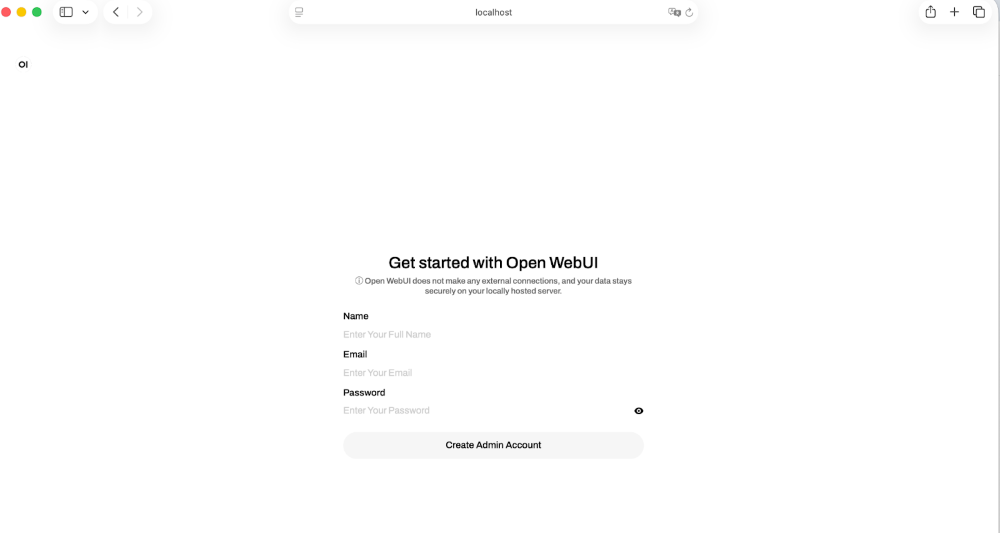
And you’re ready to interact with your models through a modern web interface:
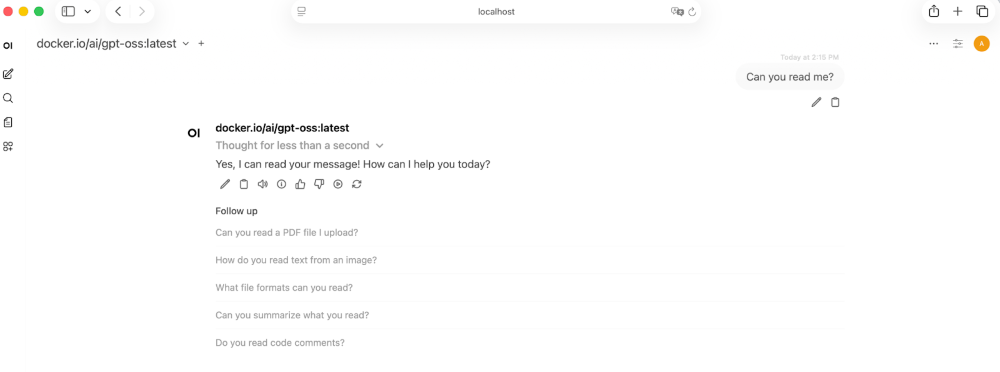
Open by design
One of the nice things about this integration is that it didn’t require special coordination or proprietary hooks. Docker Model Runner and Open WebUI are both open source projects with clear boundaries and well-defined interfaces. They were built independently, and they still fit together cleanly.
Docker Model Runner focuses on running and managing models in a way that feels natural to anyone already using Docker.
Open WebUI focuses on making those models usable. It provides the interface layer, conversation management, and extensibility you’d expect from a modern web UI.
Because both projects are open, there’s no hidden contract between them. You can see how the connection works. You can modify it if you need to. You can deploy the pieces separately or together. The integration isn’t a black box, it’s just software speaking a clear interface.
Works with Your Setup
One of the practical benefits of this approach is flexibility.
Docker Model Runner doesn’t dictate where your models run. They might live on your laptop during development, on a more powerful remote machine, or inside a controlled internal environment. As long as Docker Model Runner is reachable, Open WebUI can connect to it.
That separation between runtime and interface is intentional. The UI doesn’t need to know how the model is provisioned. The runtime doesn’t need to know how the UI is presented. Each layer does its job.
With this integration, that boundary becomes almost invisible. Start the container, open your browser, and everything lines up.
You decide where the models run. Open WebUI simply meets them there.
Summary
Open WebUI and Docker Model Runner make self-hosted AI simple, flexible and fully under your control. Docker powers the runtime. Open WebUI delivers a modern interface on top.
With automatic detection and zero configuration, you can go from enabling Docker Model Runner to interact with your models in minutes.
Both projects are open source and built with clear boundaries, so you can run models wherever you choose and deploy the pieces together or separately. We can’t wait to see what you build next!
How You Can Get Involved
The strength of Docker Model Runner lies in its community and there’s always room to grow. We need your help to make this project the best it can be. To get involved, you can:
- Star the repository: Show your support and help us gain visibility by starring the Docker Model Runner repo.
- Contribute your ideas: Have an idea for a new feature or a bug fix? Create an issue to discuss it. Or fork the repository, make your changes, and submit a pull request. We’re excited to see what ideas you have!
- Spread the word: Tell your friends, colleagues, and anyone else who might be interested in running AI models with Docker.
We’re incredibly excited about this new chapter for Docker Model Runner, and we can’t wait to see what we can build together. Let’s get to work!
Learn more
- Check out the Docker Model Runner General Availability announcement
- Visit our Model Runner GitHub repo! Docker Model Runner is open-source, and we welcome collaboration and contributions from the community!
- Get started with Docker Model Runner with a simple hello GenAI application