When it comes to building dynamic and real-work solutions, developers need to stitch multiple databases (relational, document, graph, vector, time-series, search) together and build complex API layers to integrate them. This generates significant complexity, cost, and operational risk, and reduces speed of innovation. More often than not, developers end up focusing on building glue code and managing infrastructure rather than building application logic. For AI use cases, using multiple databases means AI Agents have fragmented data, context and memory, producing bad outputs at high latency.
Enter SurrealDB.
SurrealDB is a multi-model database built in Rust that unifies document, graph, relational, time-series, geospatial, key-value, and vector data into a single engine. Its SQL-like query language, SurrealQL, lets you traverse graphs, perform vector search, and query structured data – all in one statement.
Designed for data-intensive workloads like AI agent memory, knowledge graphs, real-time applications, and edge deployments, SurrealDB runs as a single binary anywhere: embedded in your app, in the browser via WebAssembly, at the edge, or as a distributed cluster.
What problem does SurrealDB solve?
Modern AI systems place very different demands on data infrastructure than traditional applications. SurrealDB addresses these pressures directly:
- Single runtime for multiple data models – AI systems frequently combine vector search, graph traversal, document storage, real-time state, and relational data in the same request path. SurrealDB supports these models natively in one engine, avoiding brittle cross-database APIs, ETL pipelines, and consistency gaps.
- Low-latency access to changing context – Voice agents, interactive assistants, and stateful agents are sensitive to both latency and data freshness. SurrealDB’s query model and real-time features serve up-to-date context without polling or background sync jobs.
- Reduced system complexity – Replacing multiple specialized databases with a single multi-model store reduces services, APIs, and failure modes. This simplifies deployment, debugging, and long-term maintenance.
- Faster iteration on data-heavy features – Opt in schemas definitions and expressive queries let teams evolve data models alongside AI features without large migrations. This is particularly useful when experimenting with embeddings, relationships, or agent memory structures.
- Built-in primitives for common AI patterns – Native support for vectors, graphs, and transactional consistency enables RAG, graph-augmented retrieval, recommendation pipelines, and agent state management – without external systems or custom glue code.
In this article, you’ll see how to build a WhatsApp RAG chatbot using SurrealDB Docker Extension. You’ll learn how SurrealDB Docker Extension powers an intelligent WhatsApp chatbot that turns your chat history into searchable, AI-enhanced conversations with vector embeddings and precise source citations.
Understanding SurrealDB Architecture
SurrealDB’s architecture unifies multiple data models within a single database engine, eliminating the need for separate systems and synchronization logic (figure below).
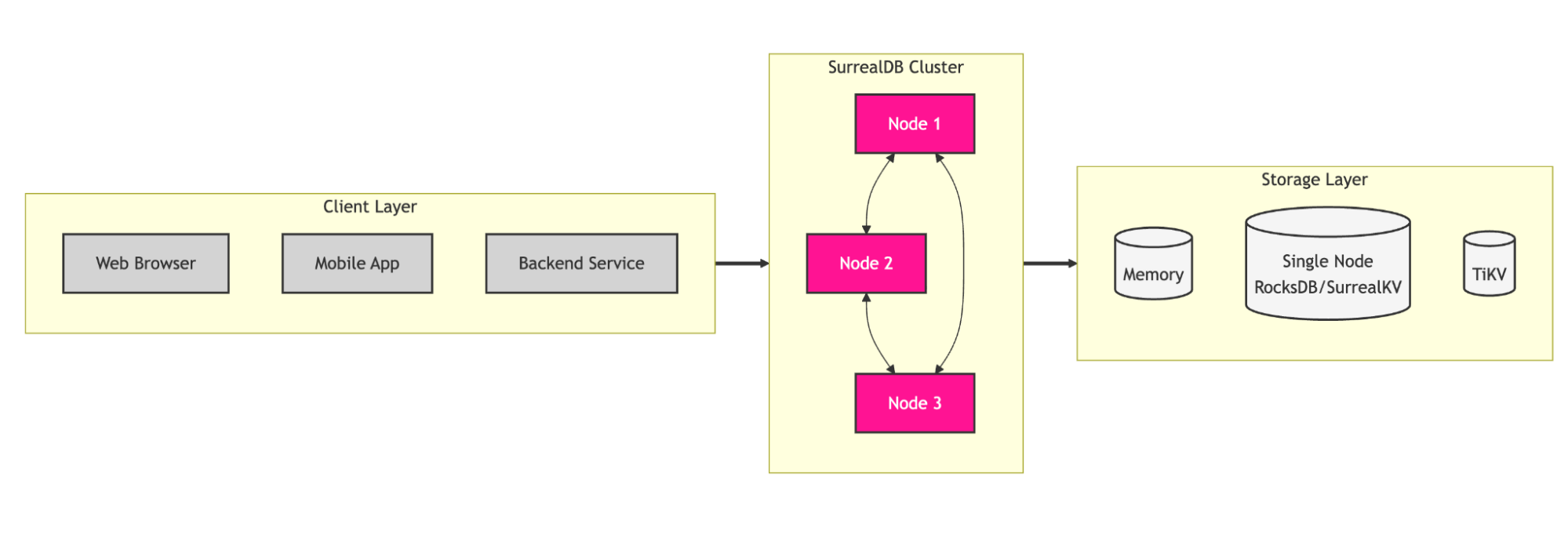
Caption: SurrealDB Architecture diagram
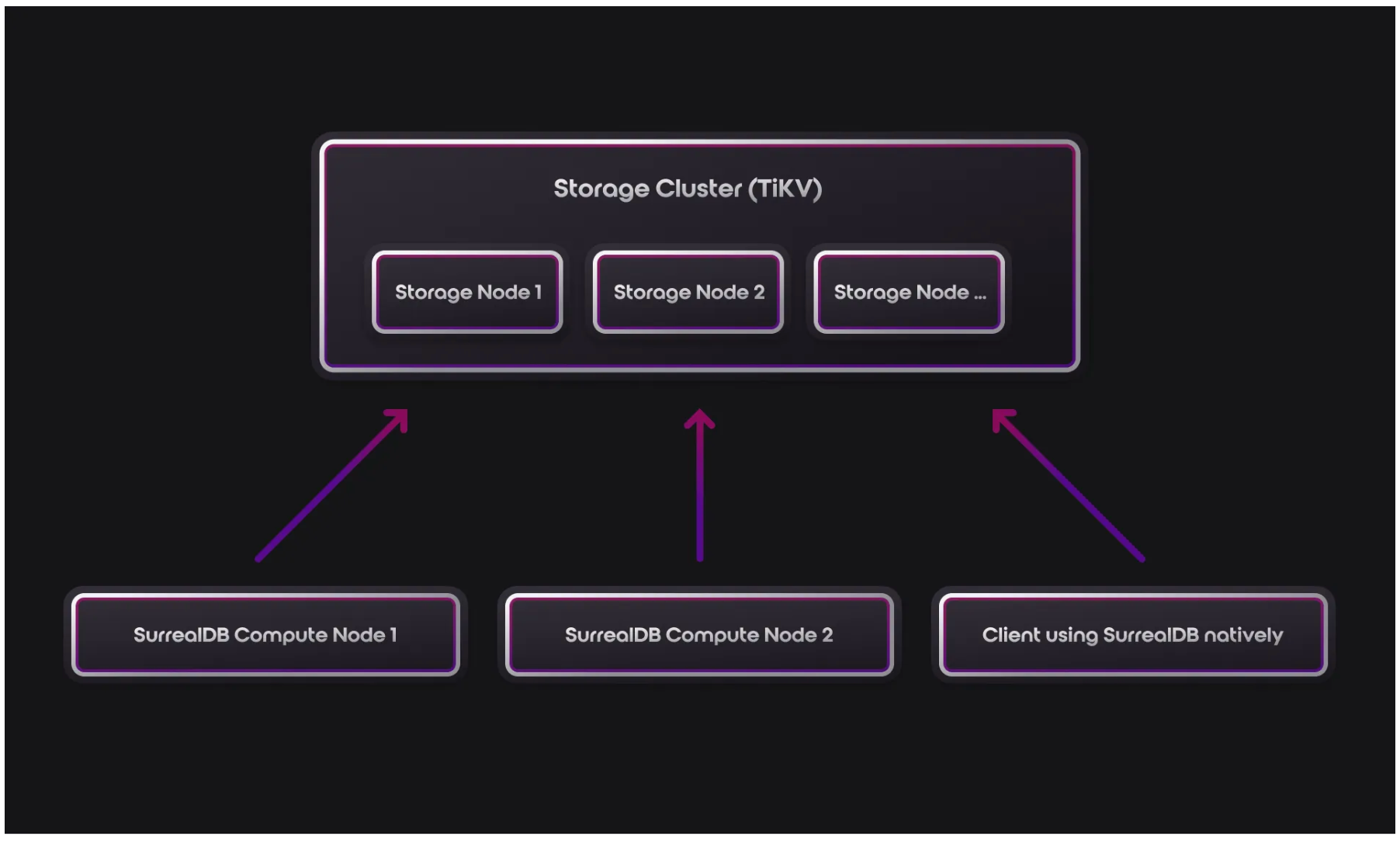
Caption: Architecture diagram of SurrealDB showing a unified multi-model database with real-time capabilities. (more information at https://surrealdb.com/docs/surrealdb/introduction/architecture)
With SurrealDB, you can:
- Model complex relationships using graph traversal syntax (e.g.,
->bought_together->product) - Store flexible documents alongside structured relational tables
- Subscribe to real-time changes with
LIVE SELECTqueries that push updates instantly - Ensure data consistency with ACID-compliant transactions across all models
Learn more about SurrealDB’s architecture and key features on the official documentation.
How does Surreal work?
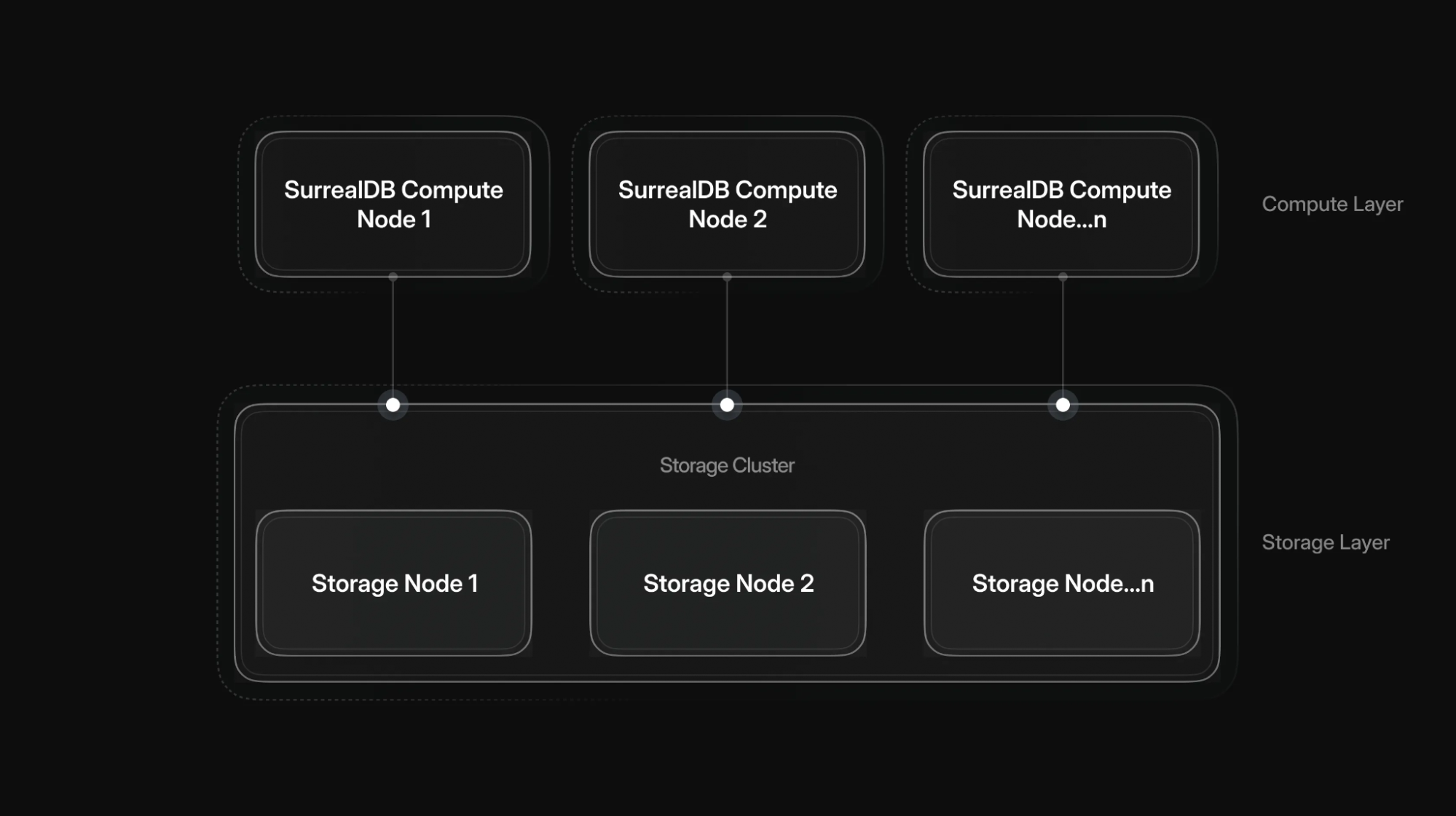
SurrealDB separates storage from compute, enabling you to scale these independently without the need to manually shard your data.
The query layer (otherwise known as the compute layer) handles queries from the client, analyzing which records need to be selected, created, updated, or deleted.
The storage layer handles the storage of the data for the query layer. By scaling storage nodes, you are able to increase the amount of supported data for each deployment.
SurrealDB supports all the way from single-node to highly scalable fault-tolerant deployments with large amounts of data.
For more information, see https://surrealdb.com/docs/surrealdb/introduction/architecture.
Why should you run SurrealDB as a Docker Extension
For developers already using Docker Desktop, running SurrealDB as an extension eliminates friction. There’s no separate installation, no dependency management, no configuration files – just a single click from the Extensions Marketplace.
Docker provides the ideal environment to bundle and run SurrealDB in a lightweight, isolated container. This encapsulation ensures consistent behavior across macOS, Windows, and Linux, so what works on your laptop works identically in staging.
The Docker Desktop Extension includes:
- Visual query editor with SurrealQL syntax highlighting
- Real-time data explorer showing live updates as records change
- Schema visualization for tables and relationships
- Connection management to switch between local and remote instances
- Built-in backup/restore for easy data export and import
With Docker Desktop as the only prerequisite, you can go from zero to a running SurrealDB instance in under a minute.
Getting Started
To begin, download and install Docker Desktop on your machine. Then follow these steps:
- Open Docker Desktop and select Extensions in the left sidebar
- Switch to the Browse tab
- In the Filters dropdown, select the Database category
- Find SurrealDB and click Install
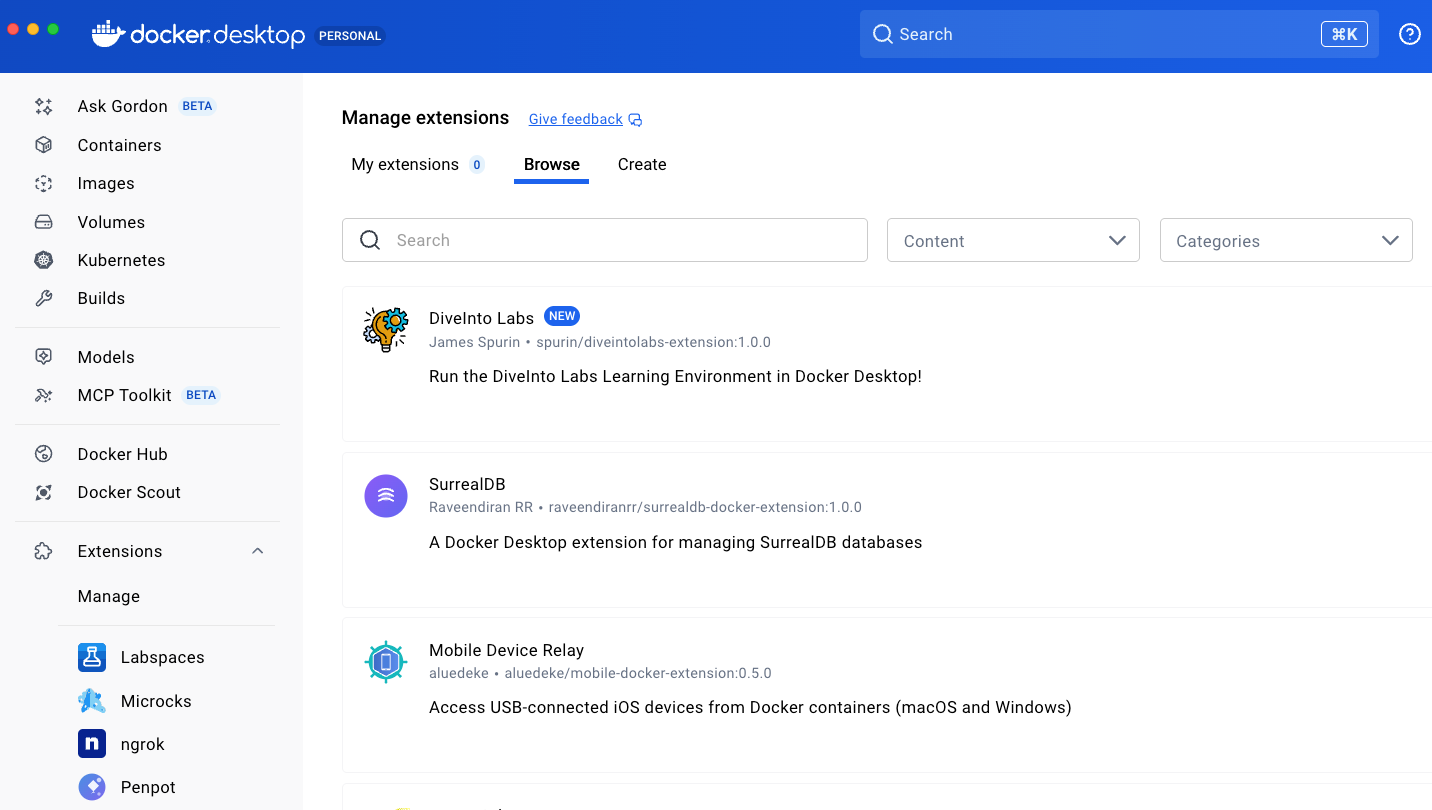
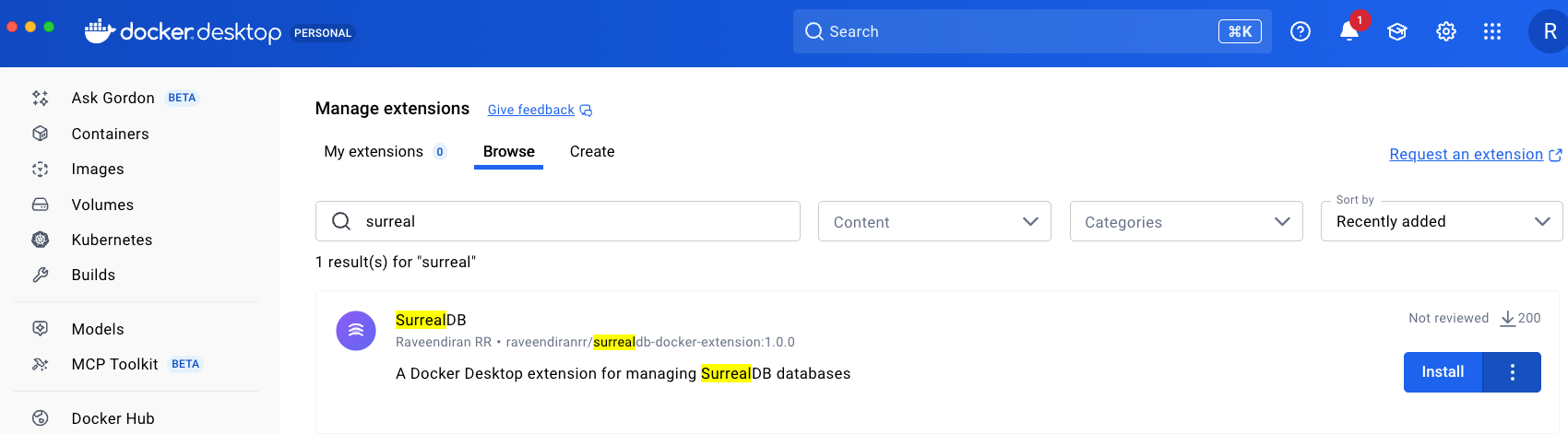
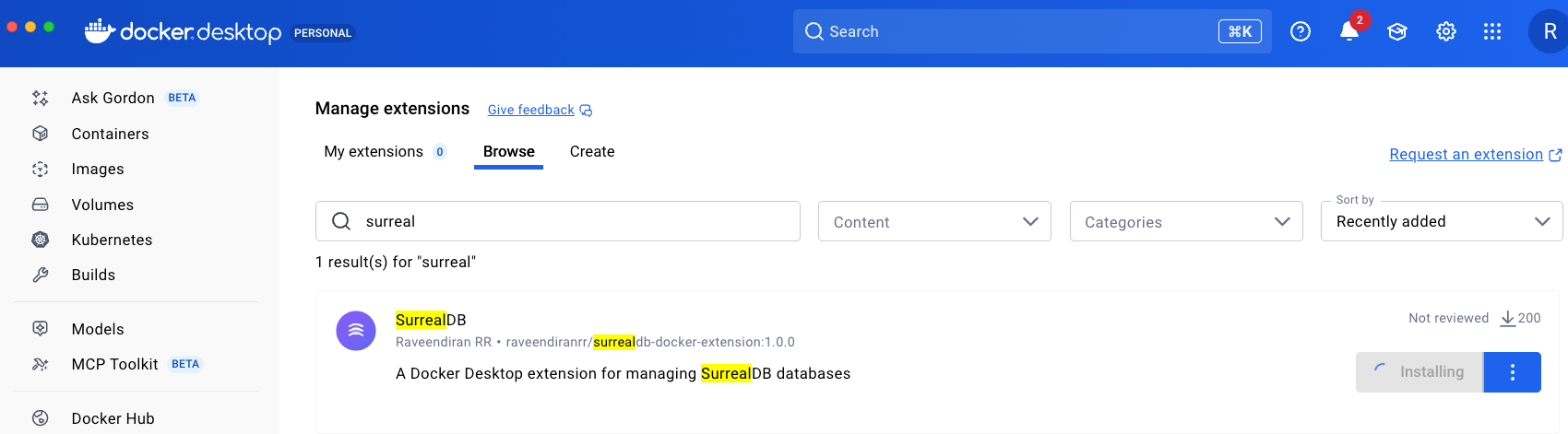
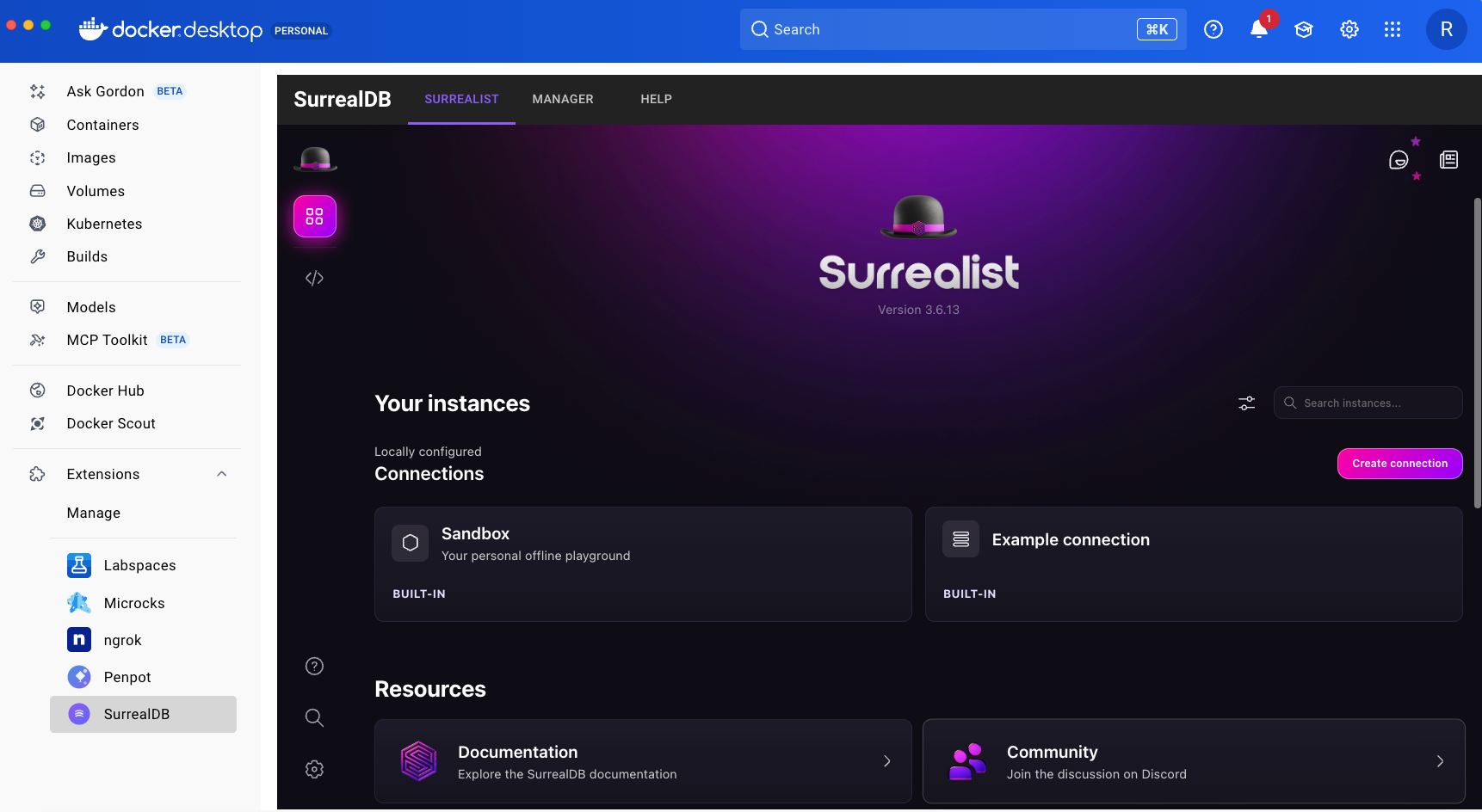
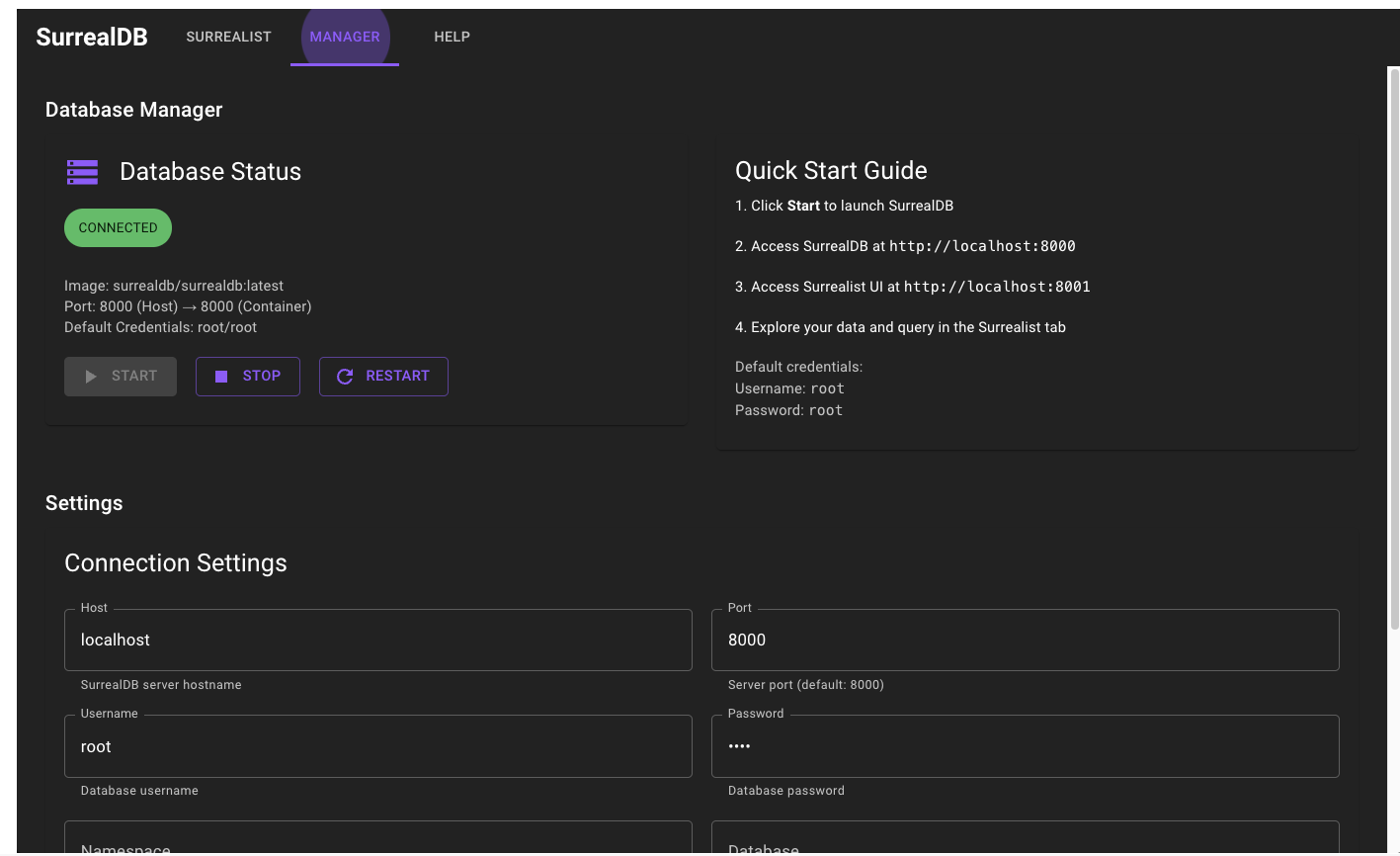
Caption: Installing the SurrealDB Extension from Docker Desktop’s Extensions Marketplace.
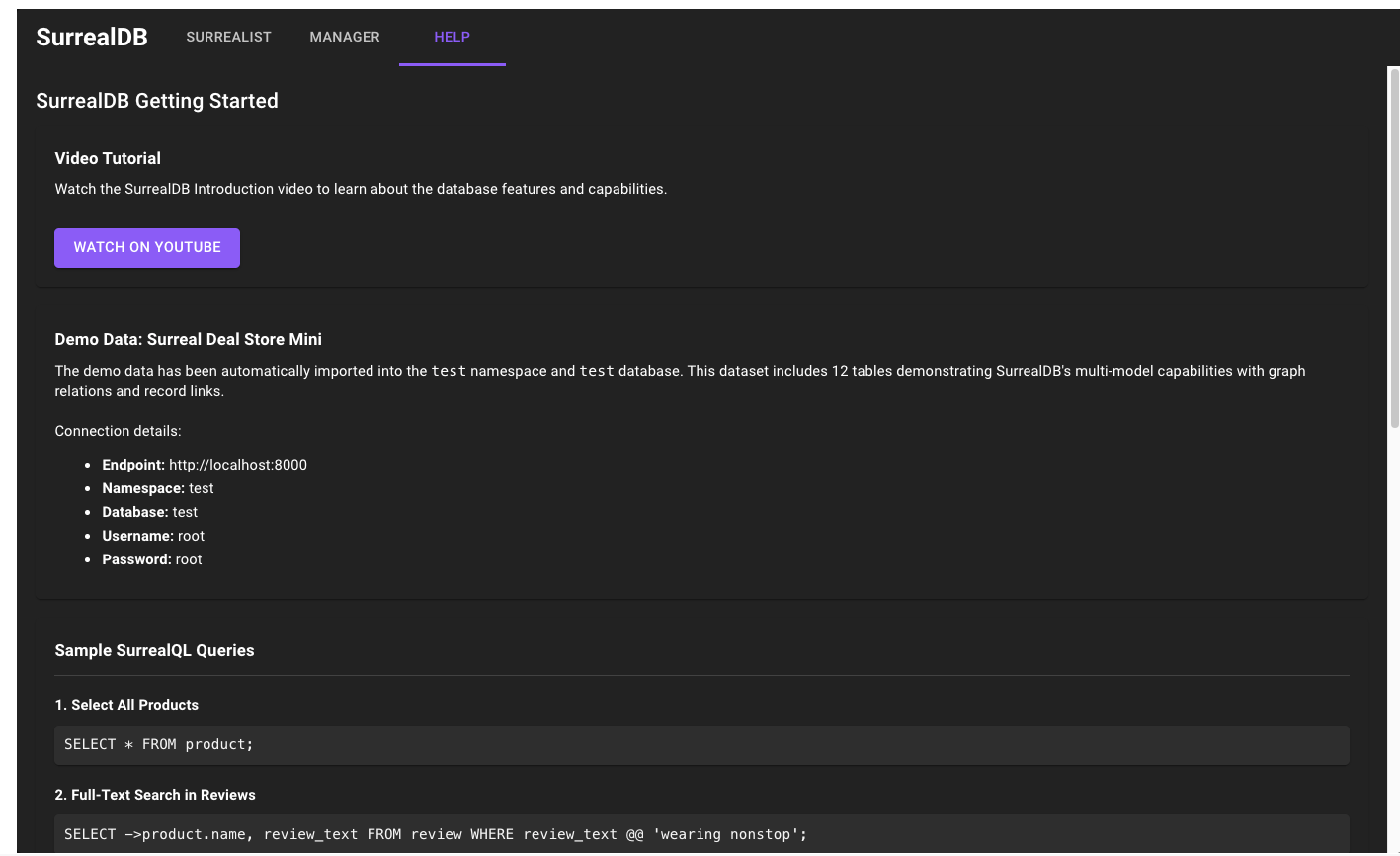
Real-World Example
Smart Team Communication Assistant
Imagine searching through months of team WhatsApp conversations to answer the question: “What did we decide about the marketing campaign budget?”
Traditional keyword search fails, but RAG with SurrealDB and LangChain solves this by combining semantic vector search with relationship graphs.
This architecture analyzes group chats (WhatsApp, Instagram, Slack) by storing conversations as vector embeddings while simultaneously building a knowledge graph linking conversations through extracted keywords like “budget,” “marketing,” and “decision.” When queried, the system retrieves relevant context using both similarity matching and graph traversal, delivering accurate answers about past discussions, decisions, and action items even when phrased differently than the original conversation.
This project is inspired by Multi-model RAG with LangChain | GitHub Example
1. Clone the repository:
git clone https://github.com/Raveendiran-RR/surrealdb-rag-demo
2. Enable Docker Model Runner by visiting Docker Desktop > Settings > AI
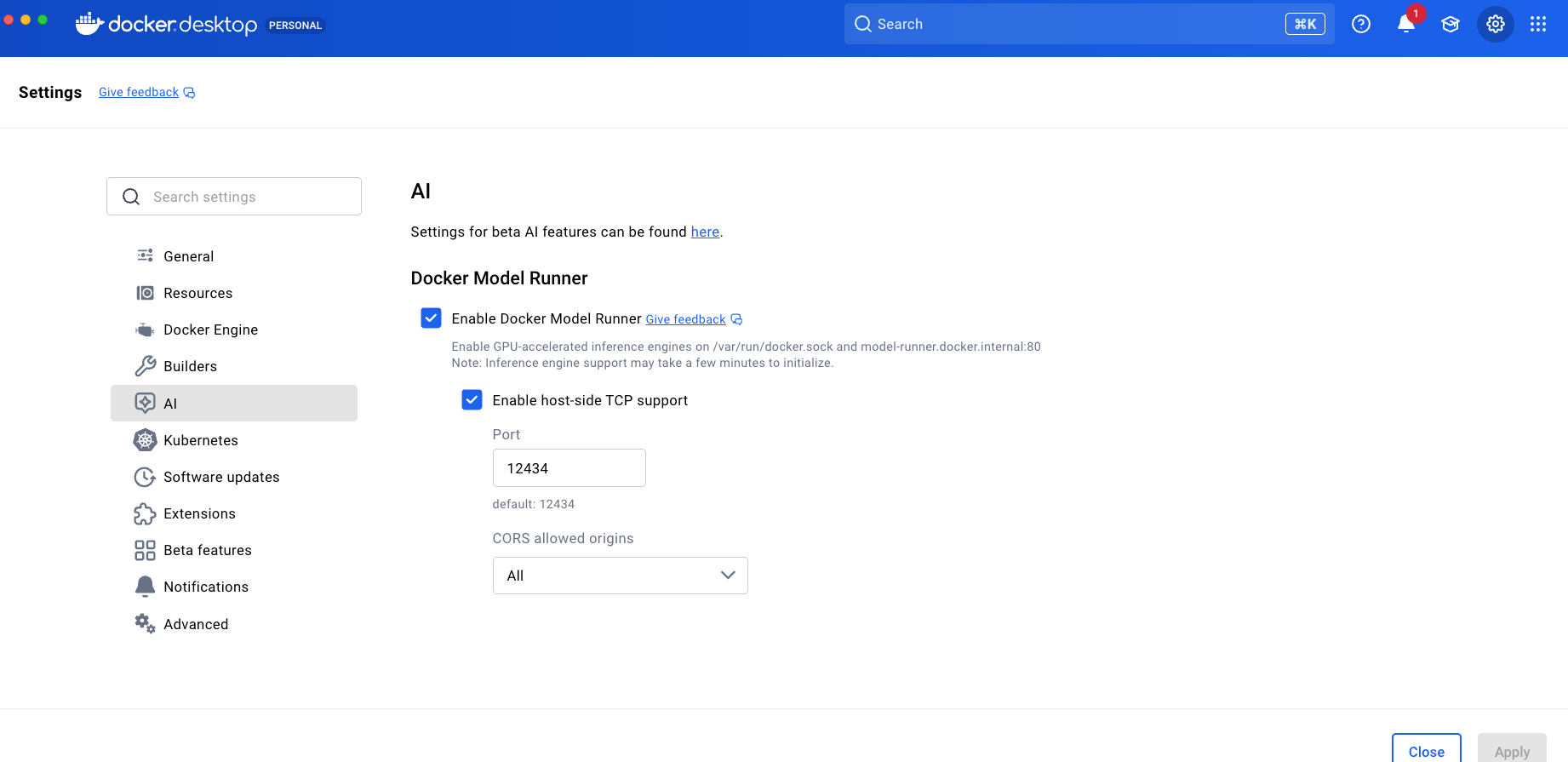
Caption: Enable Docker Model Runner in Docker Desktop > settings > AI
3. Pull llama3.2 model from Docker Hub
Search for llama 3.2 under Models > Docker Hub and pull the right model.
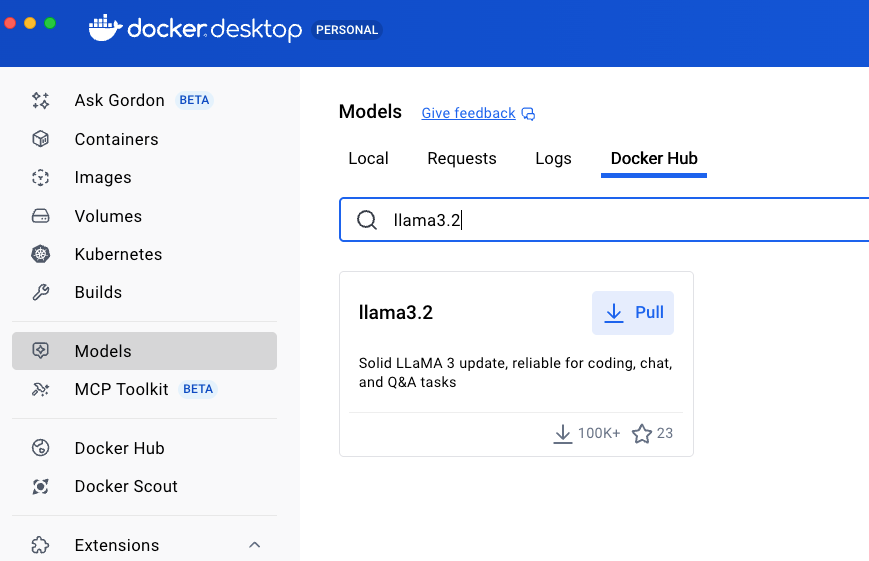
Caption: Pull the Docker model llama3.2
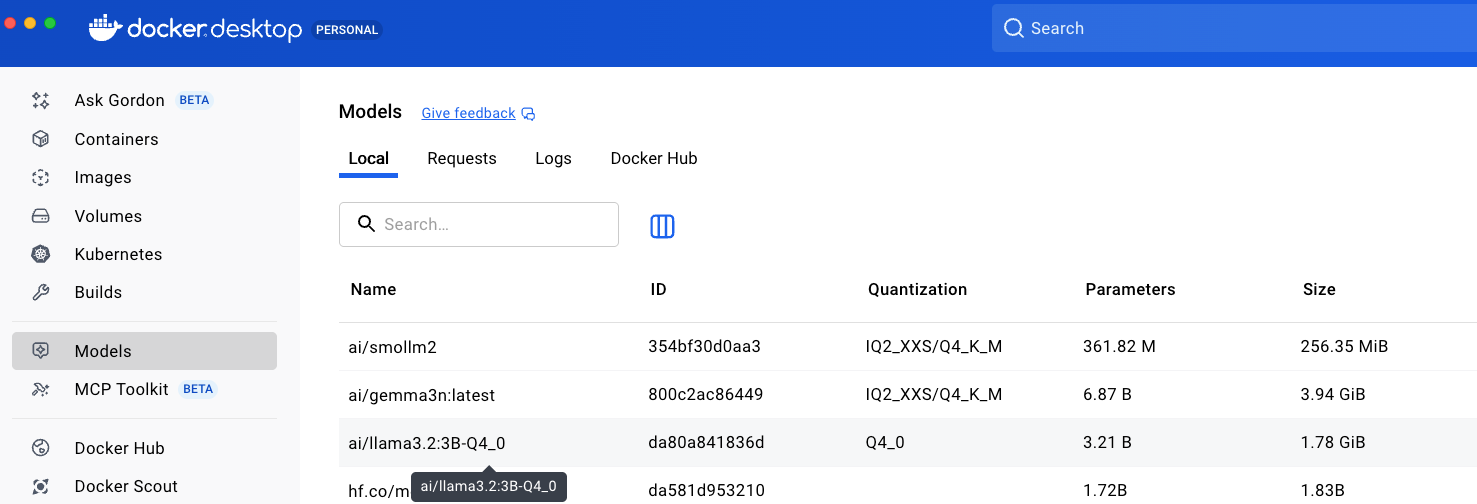
4. Download the embeddinggemma model from Docker Hub
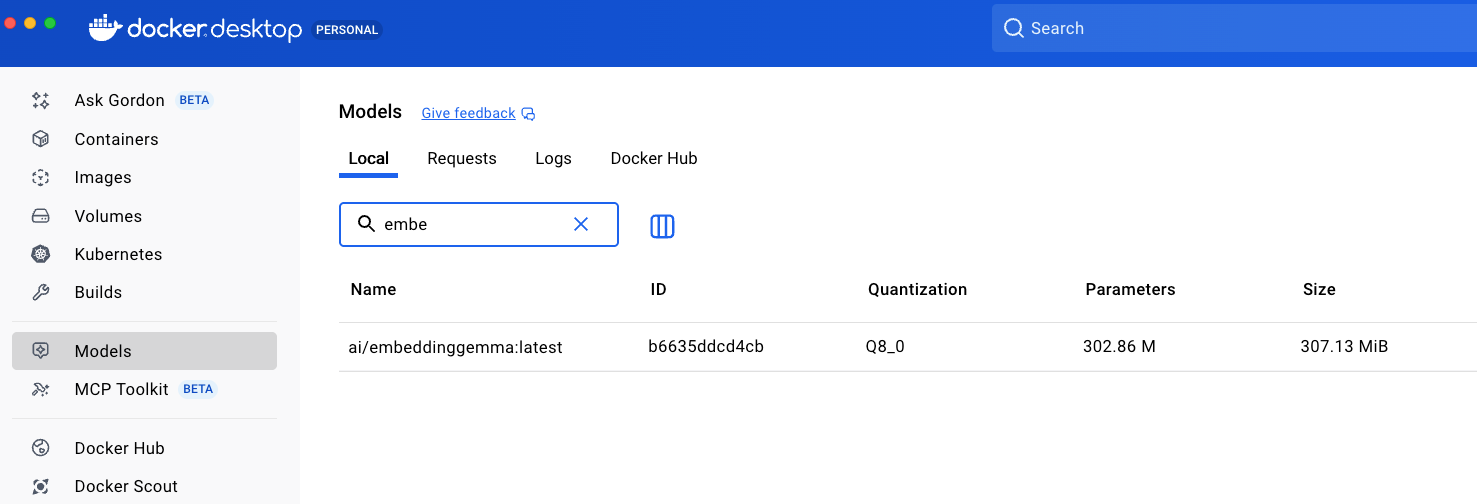
Caption: Click on Models > Search for embeddinggemma > download the model
5. Run this command to connect to the persistent surrealDB container
- Browse to the directory where you have cloned the repository
- Create directory “mydata”
mkdir -p mydata
6. Run this command:
docker run -d --name demo_data
  -p 8002:8000
  -v "$(pwd)/mydata:/mydata"
  surrealdb/surrealdb:latest
  start --log debug --user root --pass root
  rocksdb://mydata
Note: use the path based on the operating system.
- For windows , use rocksdb://mydata
- For linux and macOS, use rocksdb:/mydata
7. Open SurrealDB Docker Extension and connect with SurrealDB.
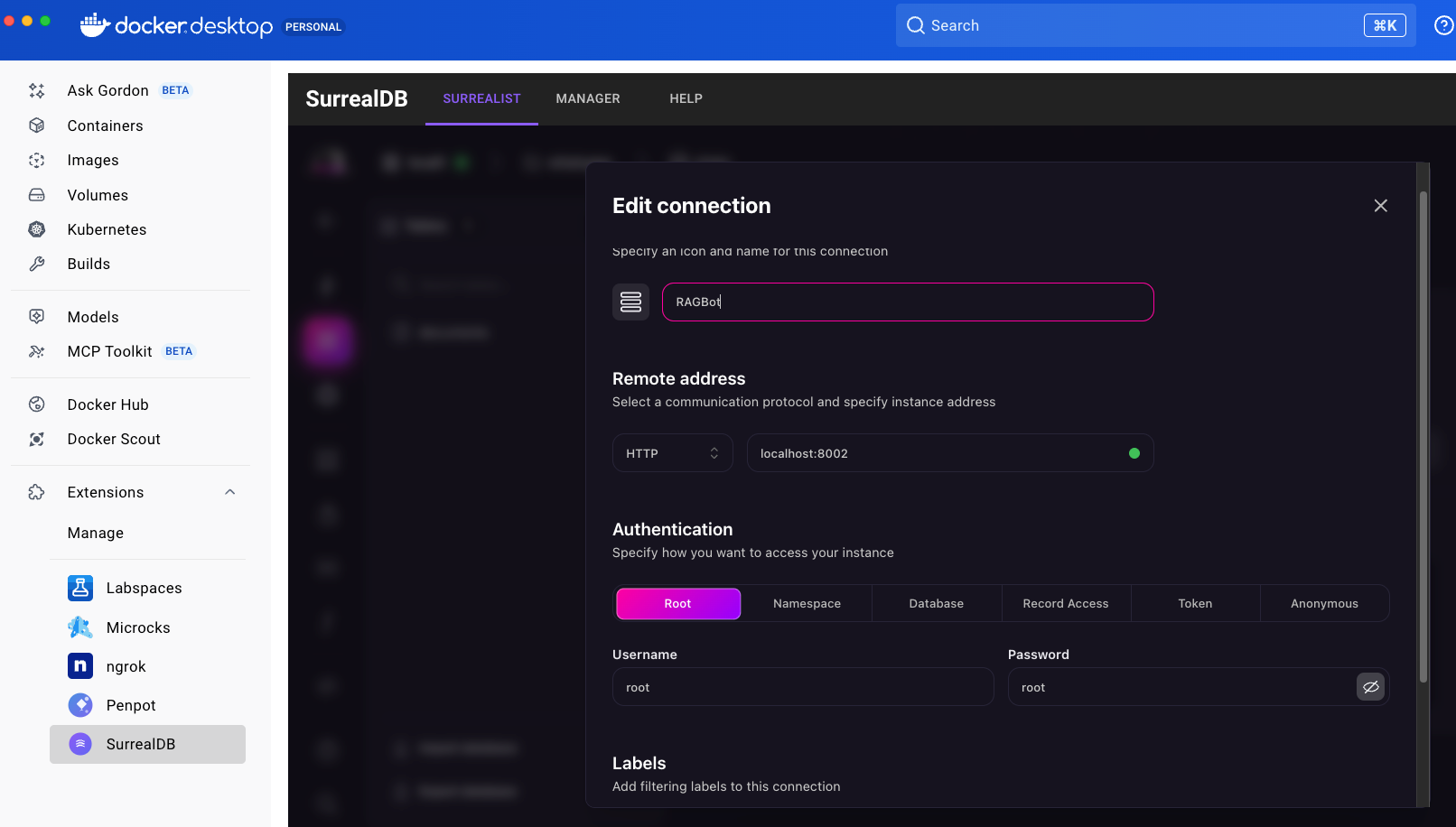
Caption: Connecting to SurrealDB through Docker Desktop Extension
- Connection name: RAGBot
- Remote address:
http://localhost:8002
- Username: root | password: root
- Click on Create Connection
8. Run the setup instructions
9. Upload the whatsapp chat
- Start the UI for the RAG bot (http://localhost:8080)
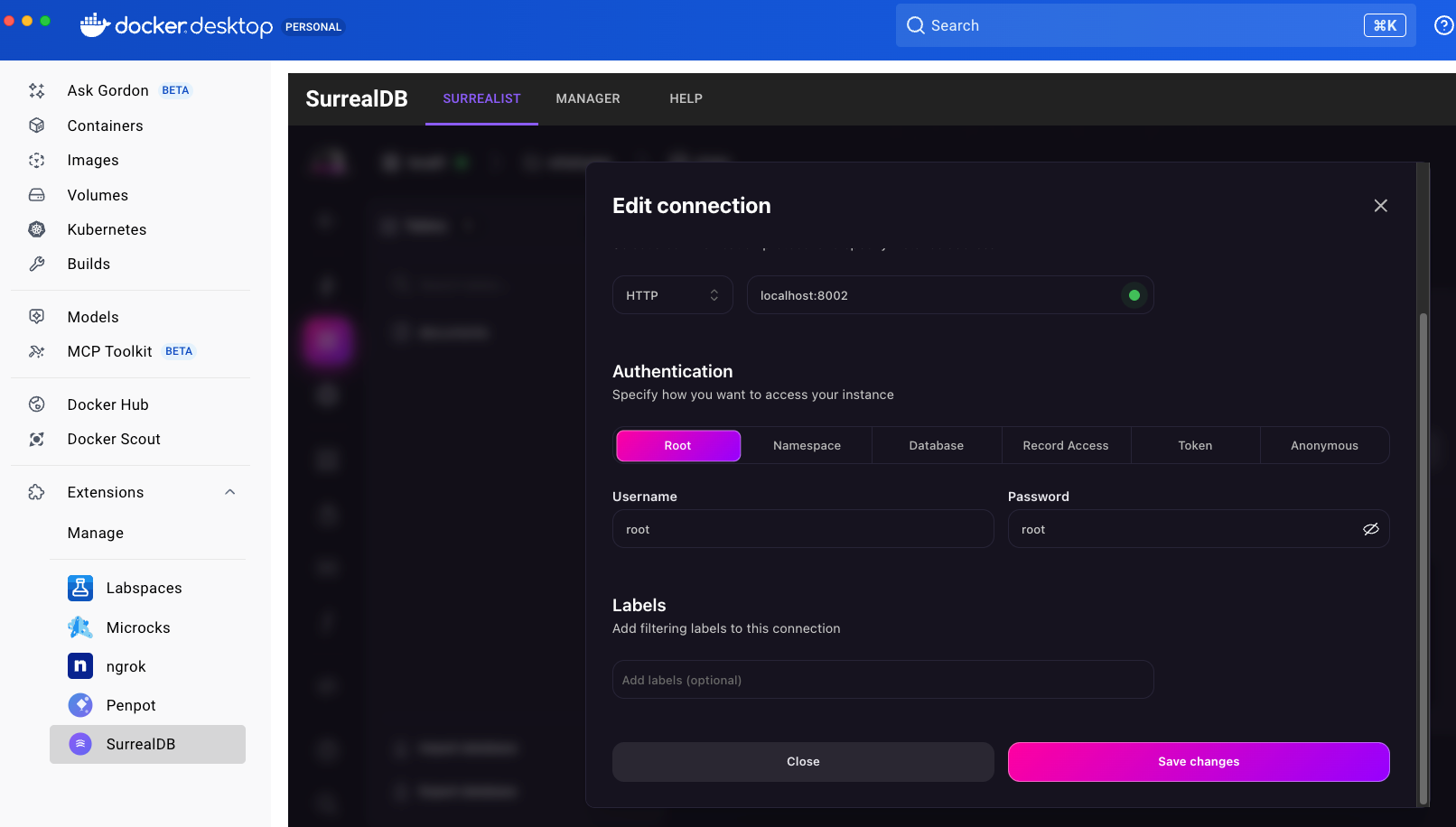
Caption: Create connection to the SurrealDB Docker container
10. Start chatting with the RAG bot and have fun
11. We can verify the correctness data in SurrealDB list
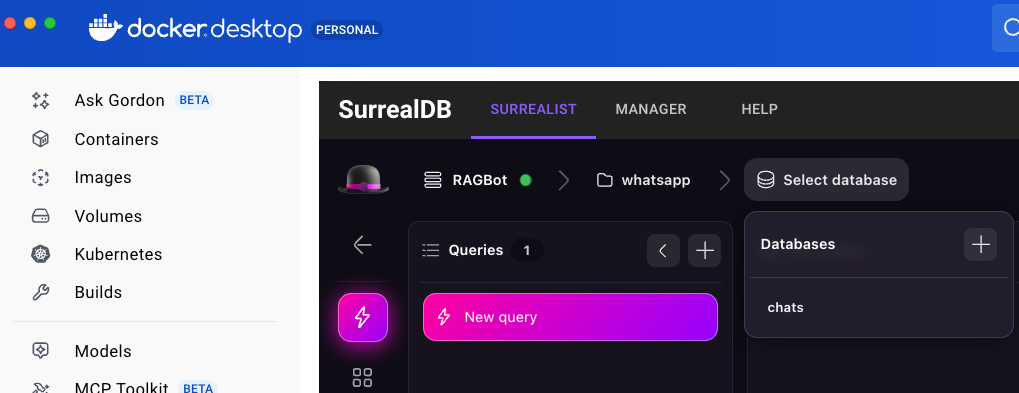
- Ensure that you connect to the right namespace (whatsapp) and database (chats)
python3 load_whatsapp.py
python3 rag_chat_ui.py
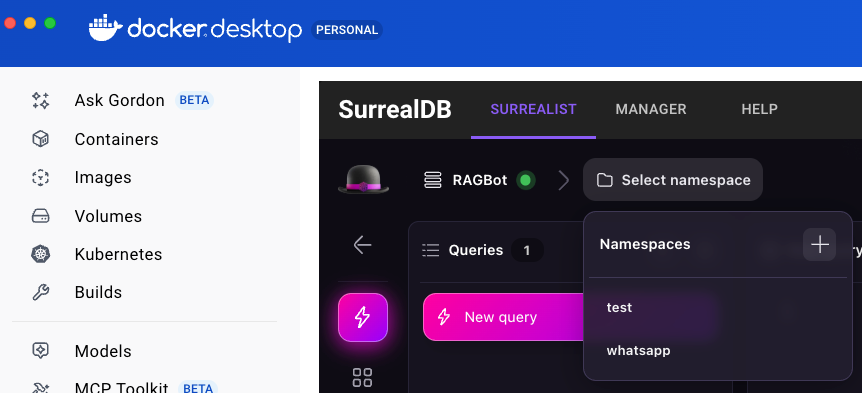
Caption: connect to the “whatsapp” namespace and “chats” database
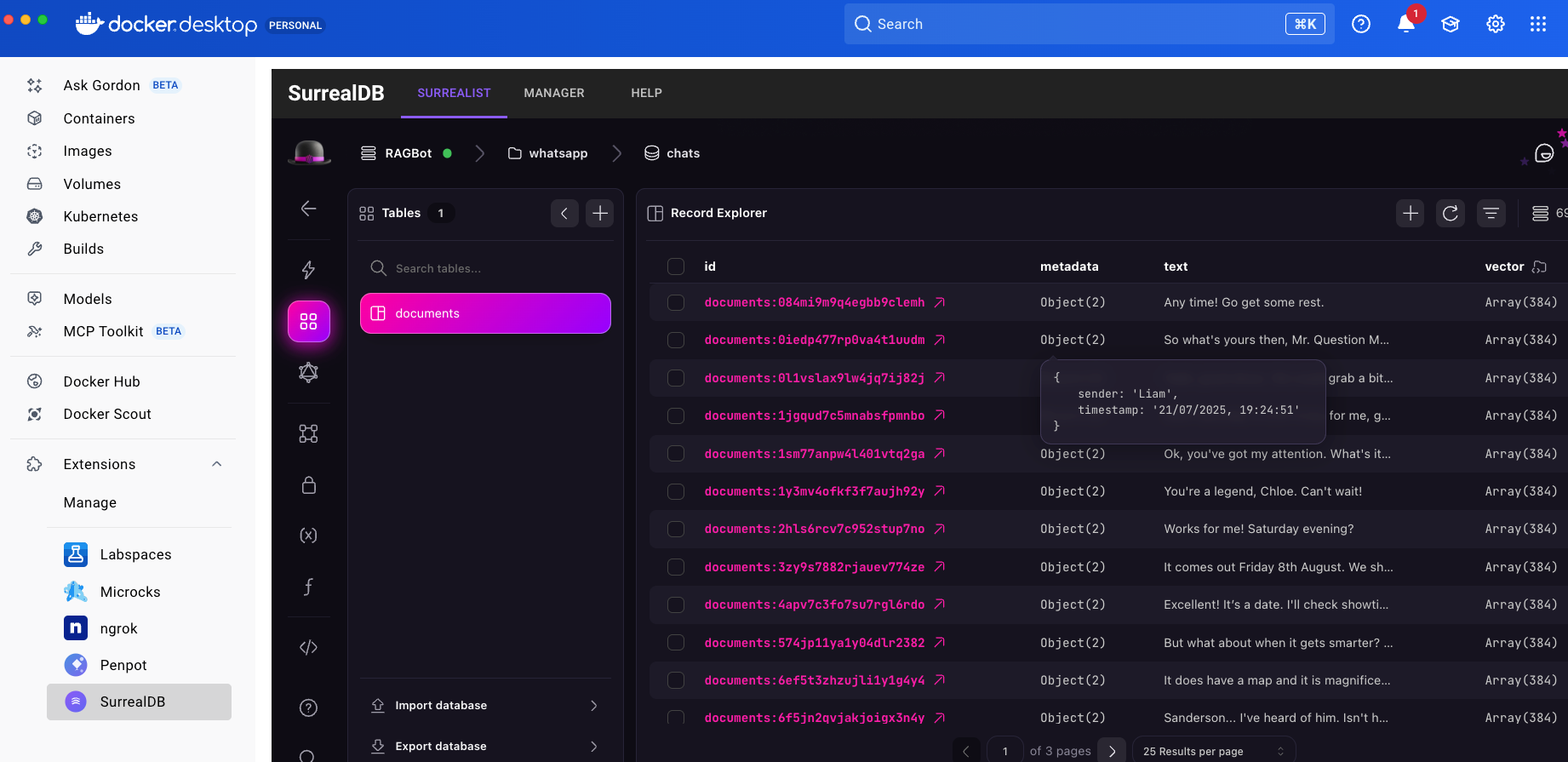
Caption: Data stored as vectors in SurrealDB
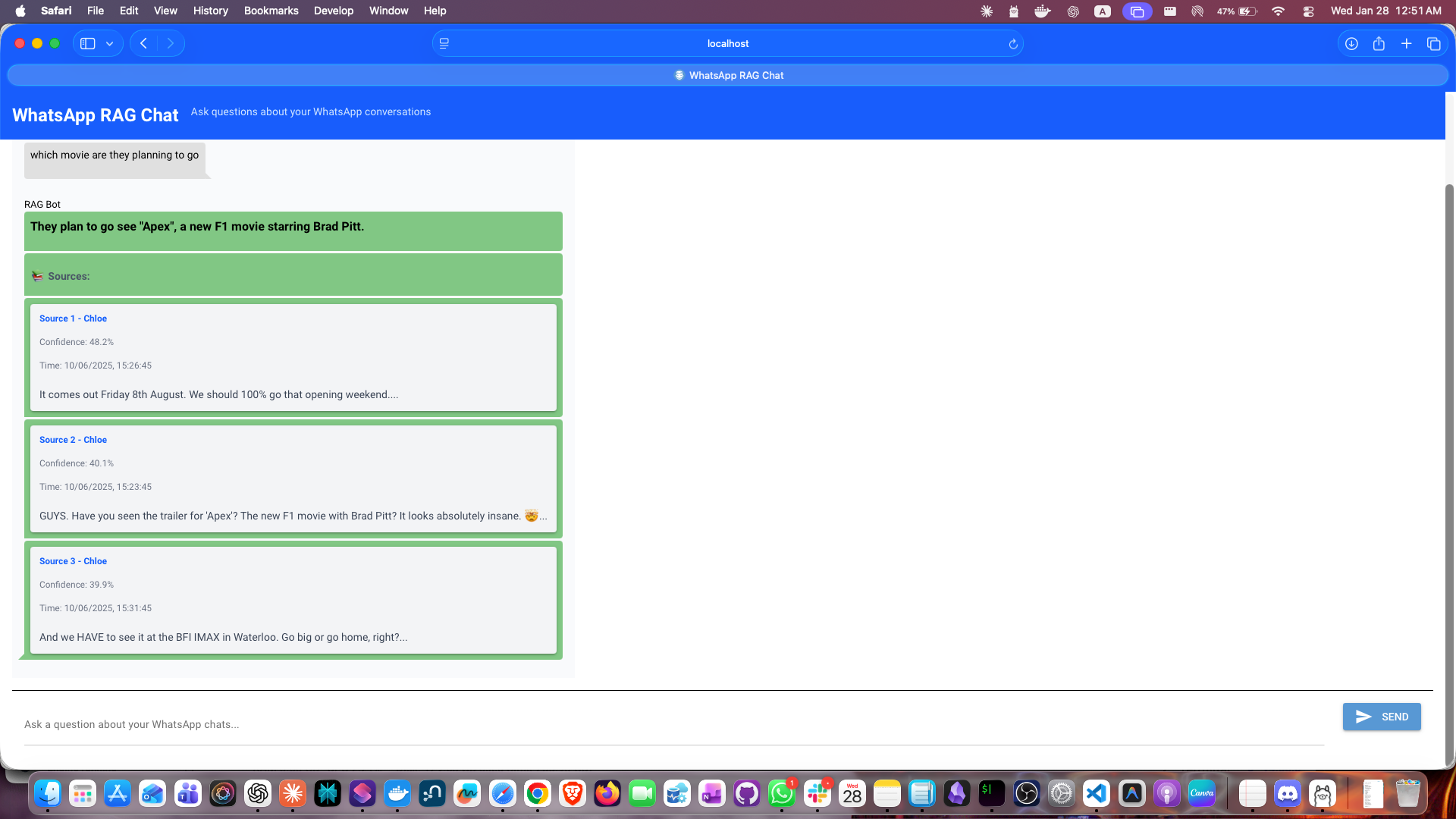
Caption: Interact with the RAG bot UI where it gives you the answer and exact reference for it
Using this chat bot, now you can get information about the chat.txt file that was ingested. You can also verify the information in the query editor as shown below when you can run custom queries to validate the results from the chat bot. You can ingest new messages through the load_whatsapp.py file, please ensure that the message format is same as in the sample whatsChatExport.txt file.
Learn more about SurrealQL here.
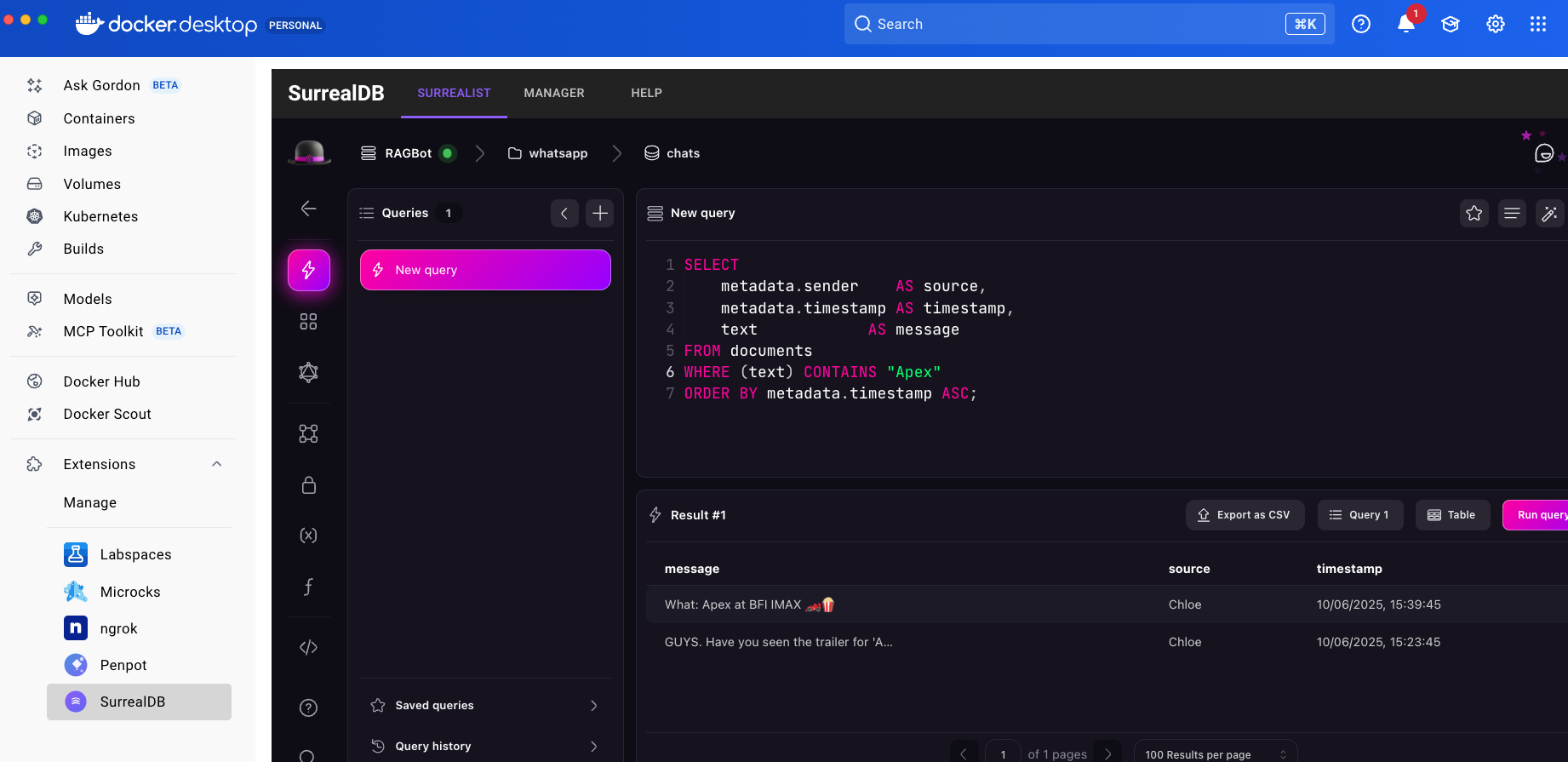
Caption: SurrealDB Query editor in the Docker Desktop Extension
Conclusion
The SurrealDB Docker Extension offers an accessible and powerful solution for developers building data-intensive applications – especially those working with AI agents, knowledge graphs, and real-time systems. Its multi-model architecture eliminates the need to stitch together separate databases, letting you store documents, traverse graphs, query vectors, and subscribe to live updates from a single engine.
With Docker Desktop integration, getting started takes seconds rather than hours. No configuration files, no dependency management – just install the extension and start building. The visual query editor and real-time data explorer make it easy to prototype schemas, test queries, and inspect data as it changes.
Whether you’re building agent memory systems, real-time recommendation engines, or simply looking to consolidate a sprawling database stack, SurrealDB’s Docker Extension provides an intuitive path forward. Install it today and see how a unified data layer can simplify your architecture.
If you have questions or want to connect with other SurrealDB users, join the SurrealDB community on Discord.
Learn More
- Install the SurrealDB Docker Extension
- Get the latest release of Docker Desktop
- SurrealDB documentation
- Vote on what’s next! Check out our public roadmap
- Have questions? The Docker community is here to help
- New to Docker? Get started