We’re excited to announce the public preview of Azure DevOps integration in the Copilot app. You can now start agent sessions that work directly with your Azure DevOps repositories to create branches, make code changes, commit changes, and open pull requests. This brings GitHub Copilot’s coding agents to teams using Azure DevOps repositories.
What is the Copilot app?
The GitHub Copilot app is a standalone desktop application that lets developers delegate coding tasks to AI agents. You can ask Copilot to explore a codebase, implement changes, fix bugs, and create pull requests, all from one place.
The app also lets you manage multiple agent sessions and review code changes in one place. With Azure DevOps integration, you can now use these capabilities with repositories hosted in Azure Repos.
Using the Copilot app with Azure DevOps
The Azure DevOps integration lets you connect Azure Repos repositories to the Copilot app and delegate coding tasks to AI agents. Agents can create branches, make code changes, commit changes, and open pull requests. Multiple agent sessions can also run in parallel, allowing different tasks to progress at the same time.
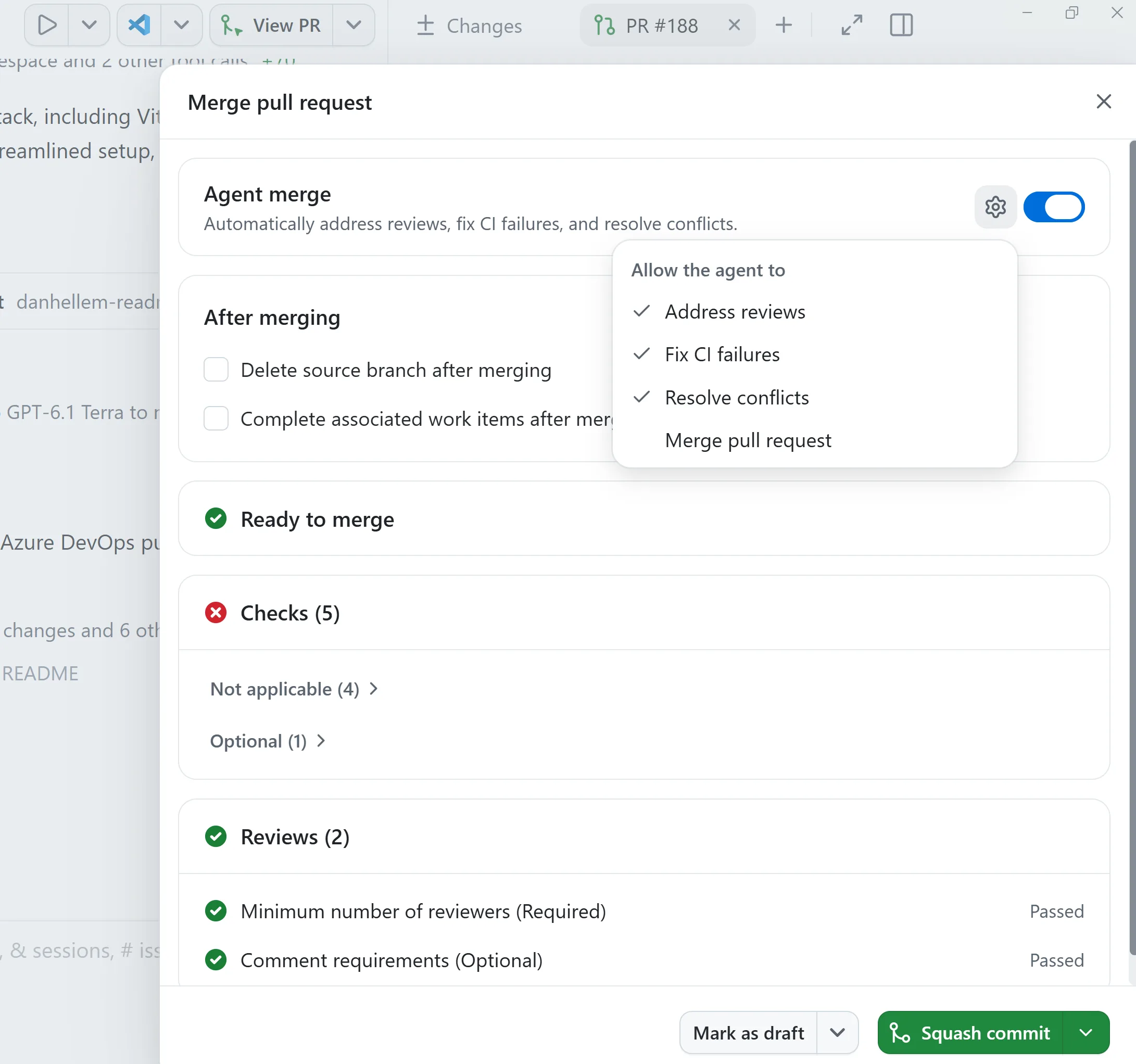
The Copilot app also provides a place to review code, add comments, and manage pull requests. With Agent Merge, agents can monitor pull requests, address review comments, resolve CI issues, and automatically merge changes when they’re ready.
Enable Azure DevOps integration
To enable the Azure DevOps integration, go to Settings > Experimental, and look for Azure DevOps integration, and enable the integration.

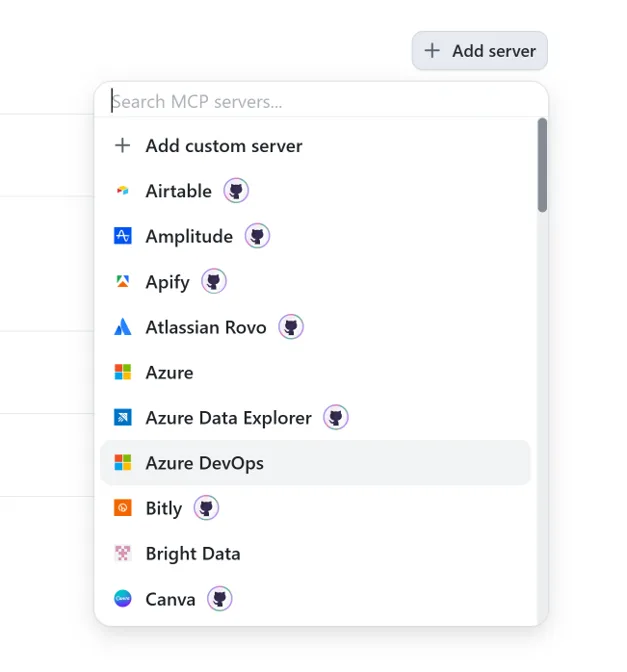
We also recommend enabling the Azure DevOps Remote MCP Server. To set it up, go to Customize > Installed, select Add server, and choose Azure DevOps. You can optionally enter your Azure DevOps organization name.
Getting started
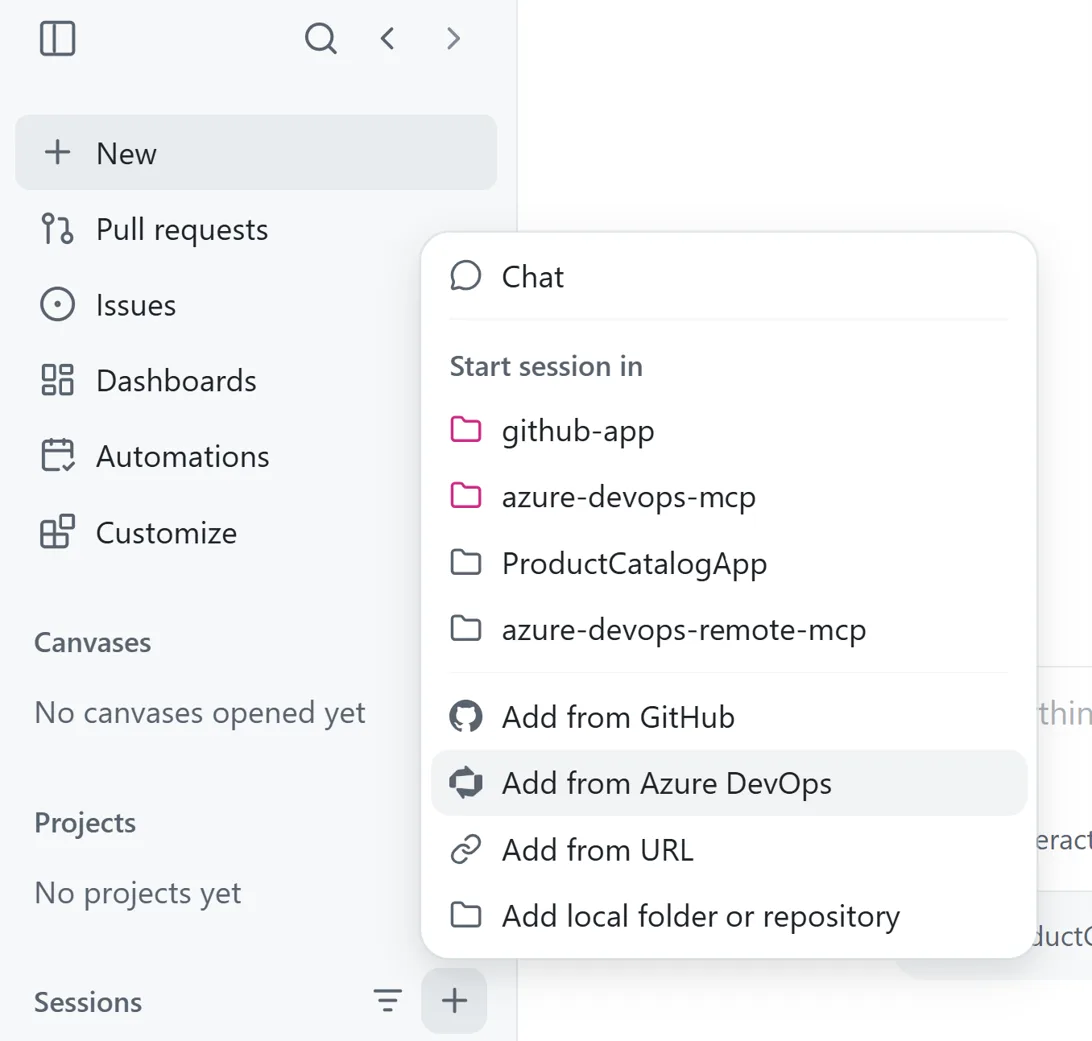
To get started, create a new session, select Add from Azure DevOps, and choose the repository you want to work with.
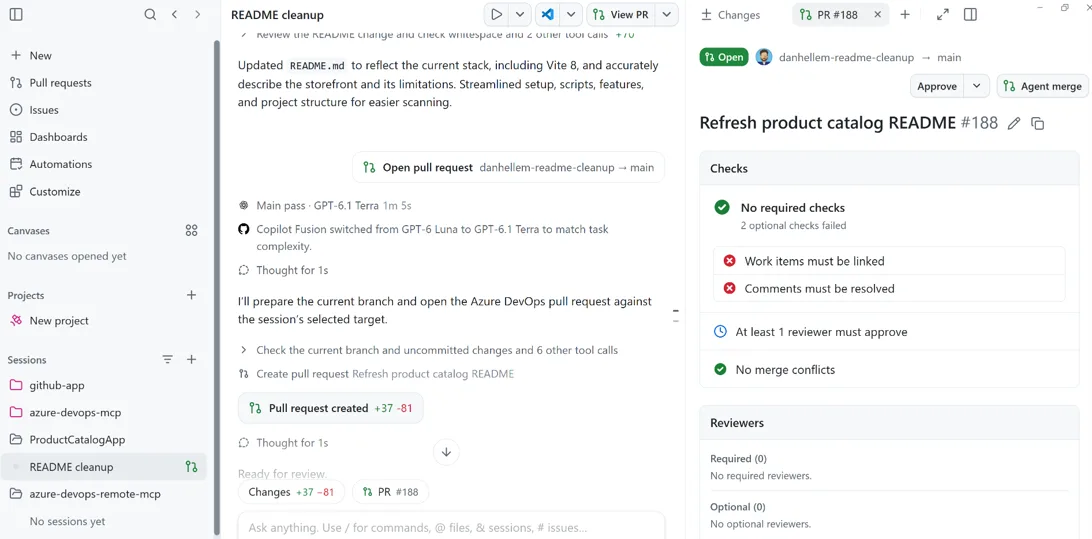
Once connected, you can ask Copilot questions about your repository or give an agent a coding task.
After the agent completes its work, you can review the changes and manage the pull request directly in the Copilot app.
You can also enable Agent Merge on a pull request to monitor its progress, address review comments, resolve CI issues, and merge it when everything is ready.
What’s next
This is an important step forward for teams using Azure DevOps who want to take advantage of GitHub Copilot. Throughout the public preview, we’ll continue to address existing gaps and expand support for Azure DevOps. Planned improvements include the ability to view and open work items, start coding sessions directly from work items, and Projects support.
We encourage you to try out the integration and share your feedback. If you encounter issues or have suggestions, please let us know by opening an issue in the Copilot app GitHub repository.
The post Azure DevOps integration with the GitHub Copilot app (public preview) appeared first on Azure DevOps Blog.