We’re excited to announce the public preview of the highly anticipated Actual Result (AR) feature for manual testing in Azure Test Plans! This feature has been one of the top requests of the community, and we’re thrilled to make it available for you.
Why use the Actual Result feature?
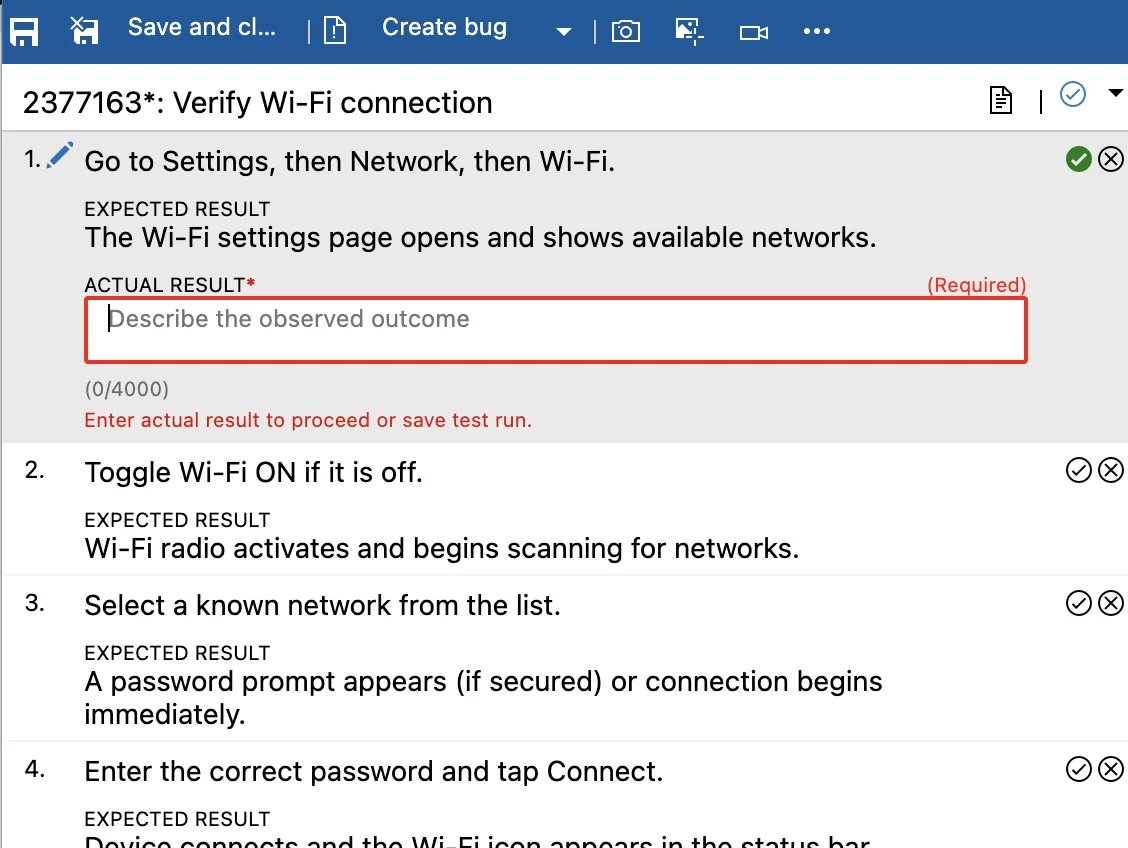
Manual testing is a critical part of many teams’ processes. The new feature via the Actual Result field enables you to record precise outcomes for each test step, improving traceability, audit readiness, and collaboration across your teams.
Key Functionalities
- Step-Level Actual Results: Capture exactly what happened during manual execution for each test step, via text and attachments.
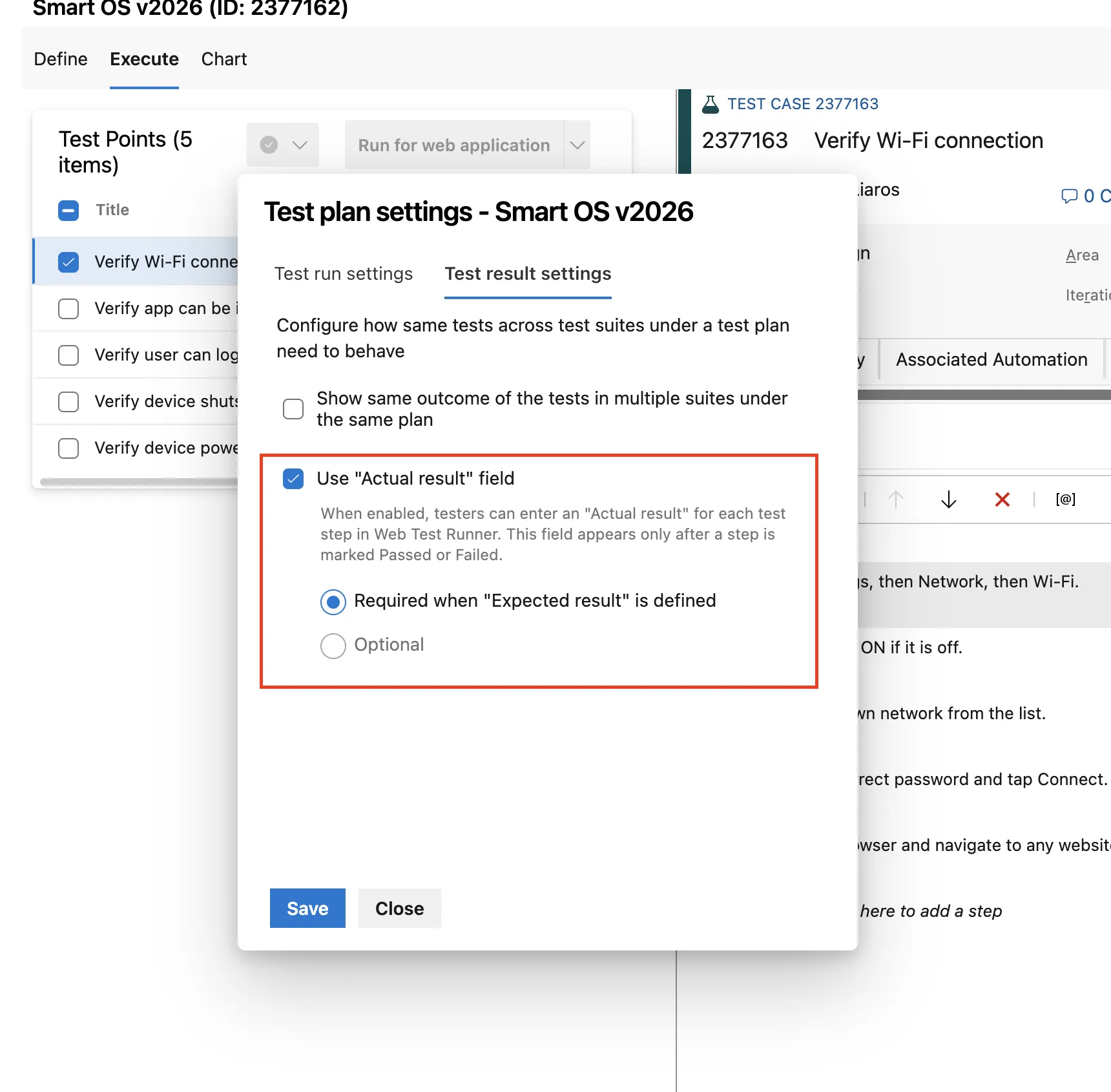
- Configurable at Test Plan Level: Enable AR as an optional or mandatory field for all test cases under a specific test plan.
- Audit and Compliance Support: Retain actual results alongside test run data, supporting traceability and compliance needs.
- Easy Review: Review actual results in the Test Run Hub’s test case results pages, with clear indicators of AR status.
- Programmatic Access: Fetch actual results via the Azure DevOps REST API for automation and integration scenarios.
Getting Started
To try out the Actual Result field:
- Open your test plan in Azure Test Plans.
- Go to Test Plan Settings (Azure Test Plan License Needed) and choose your preferred AR mode.
- Start a manual test run and experience the new AR field in action.
- Review actual results after test completion in the Test Run Hub.
For all the details, check the public documentation page of the feature.
What Does Public Preview Mean?
This feature is in Public Preview. It means that functionality may change or be discontinued without notice. Preview features are provided without a Service Level Agreement and with limited support.
Additionally, if the feature is not yet available in your Azure DevOps organization, please allow a few more days, as it is being rolled out gradually.
Your Feedback Is Needed!
Your input is crucial. Please share your experiences, suggestions, and any issues you may encounter.
You can send feedback directly via the:
- Azure DevOps community or
- Email us at “azdo-testplans-uxr @ microsoft.com” (remove the spaces).
To make the feedback addressable please include:
- Steps to reproduce
- Expected vs. actual results
- Priority and impact
- Your environment details
- Screenshots or recordings
Happy testing!
The post Public Preview: Actual Result for Manual Tests in Azure Test Plans appeared first on Azure DevOps Blog.