Earlier this week we release the public preview for our Azure DevOps MCP Server. Today we are excited to let you know that the Azure DevOps MCP Server is now available to use in Microsoft Foundry.
For those who are new to Foundry, Microsoft Foundry is a unified platform for building and managing AI powered applications and agents at scale. It brings together model access, orchestration, evaluation, and deployment into a single environment.
It is used to develop intelligent solutions such as copilots and automated workflows, connect AI to real world tools and services, and move projects from experimentation to secure, production ready systems on Azure.
Learn more at https://ai.azure.com
Adding the Azure DevOps MCP Server to your agent is straightforward. You can either add the tool first or create the agent and add it afterward. In either case, go to Add Tools > Catalog and search for “Azure DevOps.” You should see Azure DevOps MCP Server (preview) listed in the results.
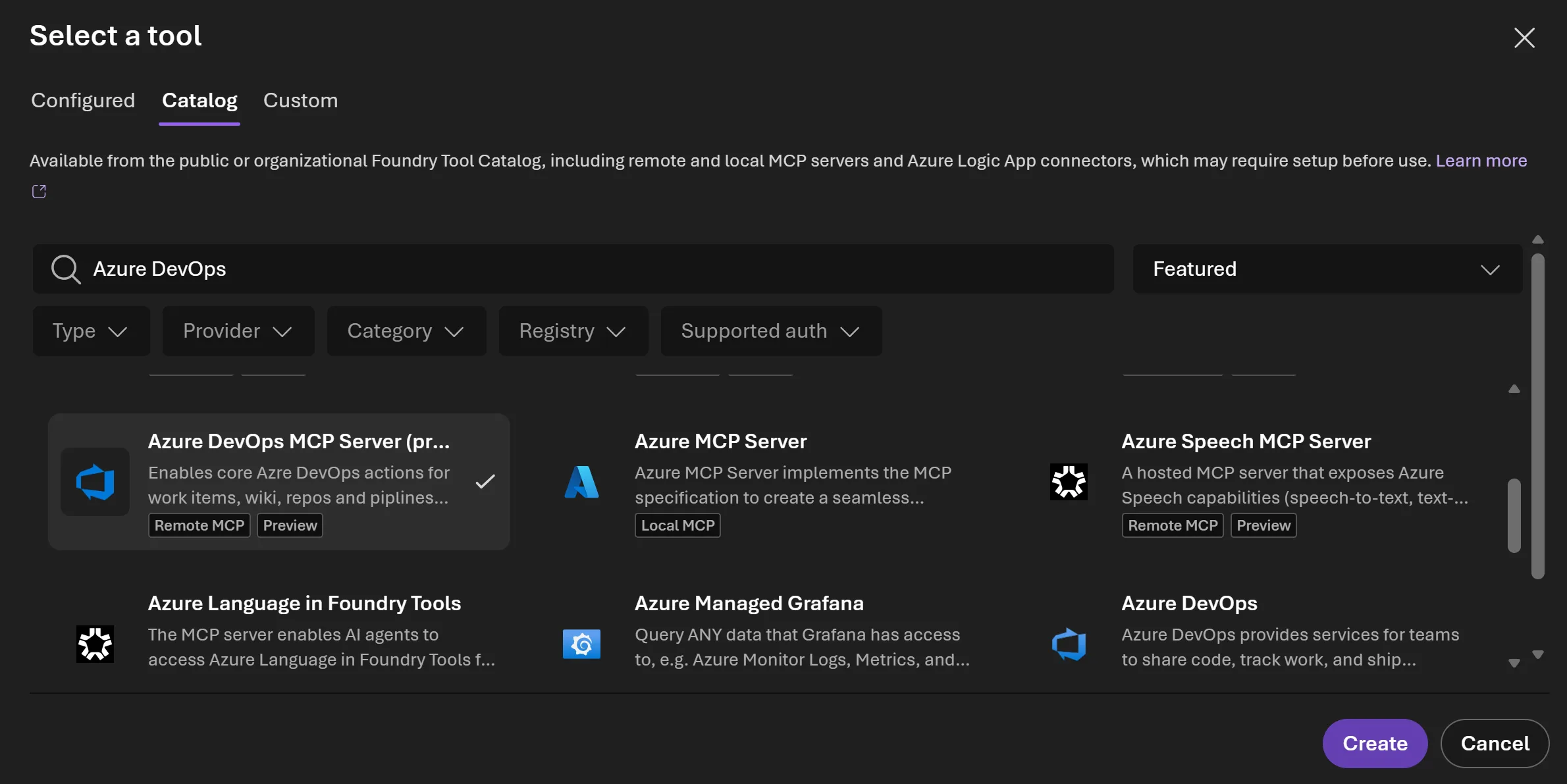
Select the tool and click Create.
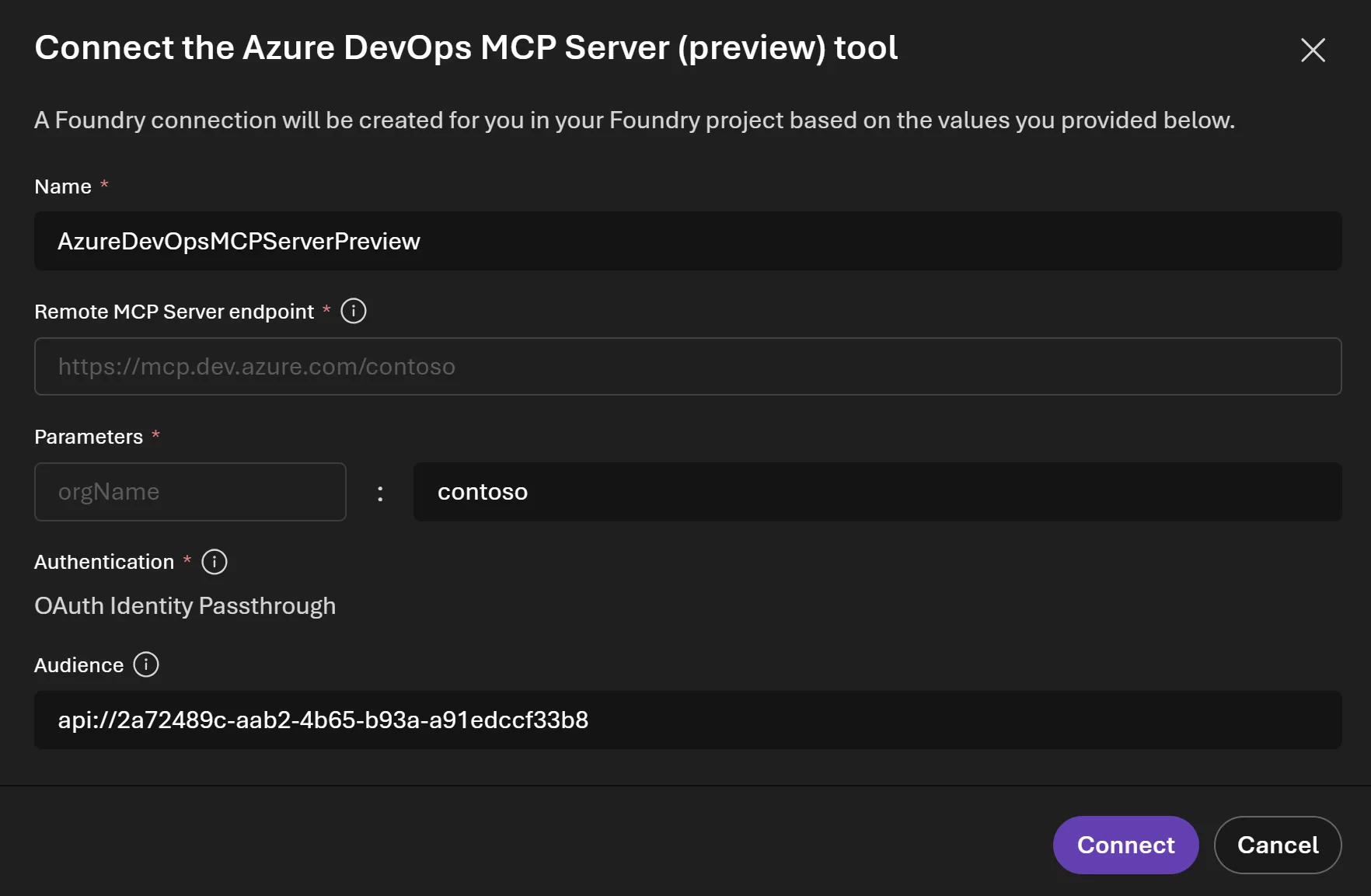
From there, enter your organization name and click Connect.
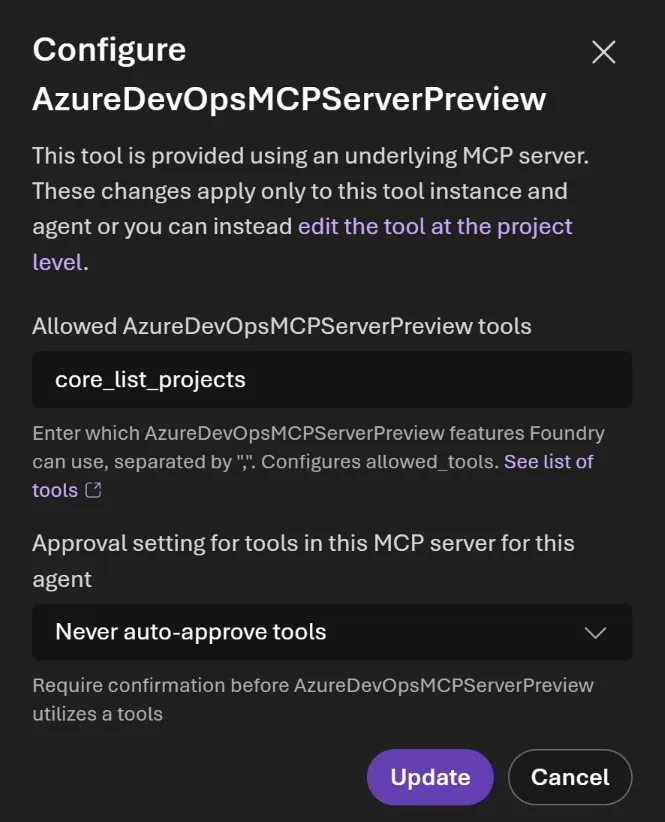
Once you have connected the tool to your agent, you can begin using the Azure DevOps MCP Server tools. However, you may want to limit which tools are available. You can specify a subset of tools to control exactly what your agent can access.
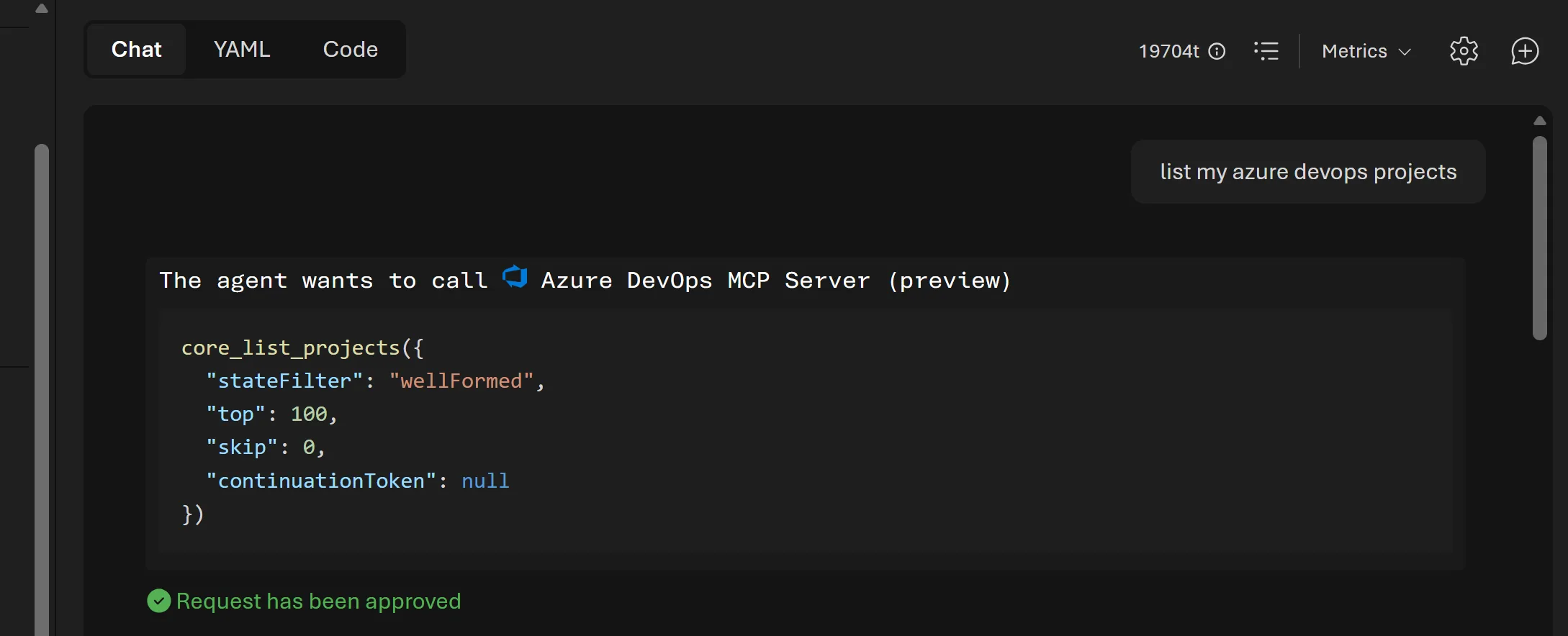
To test your agent, simply create a new chat, write a prompt, and run it.
We are excited to bring the Azure DevOps Remote MCP Server (preview) into Microsoft Foundry. This integration gives builders a simple way to connect their agents to Azure DevOps and create useful workflows that help developers and product managers be more productive.
The post Remote MCP Server preview in Microsoft Foundry appeared first on Azure DevOps Blog.